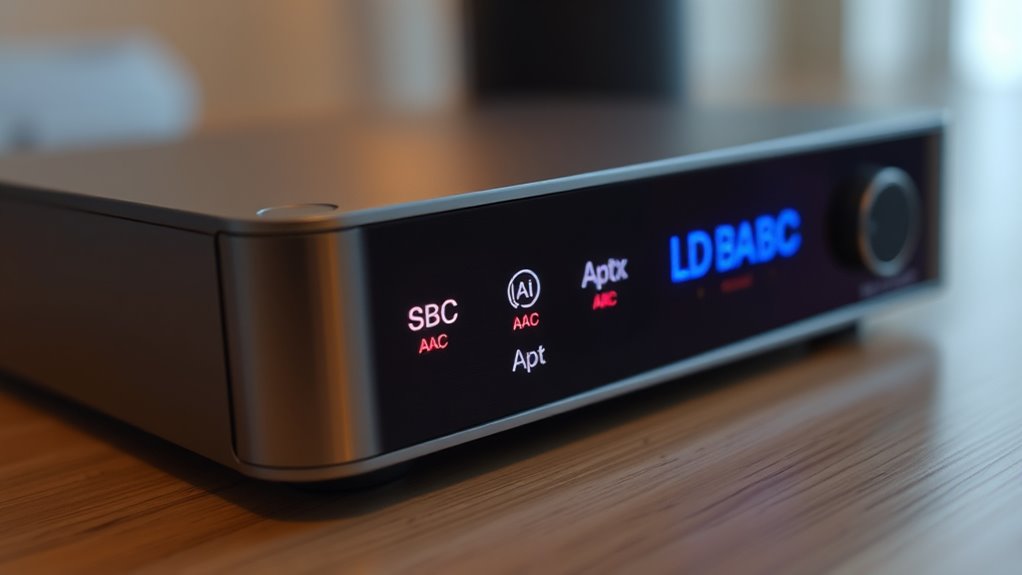

Bluetooth codecs like SBC, AAC, aptX, and LDAC determine how audio is compressed and transmitted wirelessly. SBC is open-source and widely compatible but offers lower quality. AAC and aptX provide better sound and latency, with licensing requirements. LDAC offers high-resolution audio but can drain your device’s battery faster. Understanding these codecs helps you choose the best option for sound quality, stability, and battery life—keep exploring to learn more about each one.
Key Takeaways
- SBC is an open-source codec with broad compatibility but offers lower sound quality and higher latency.
- AAC provides better sound quality and efficiency but requires licensing and may consume more power.
- AptX codecs (including HD and Adaptive) improve sound quality and reduce latency, with some variants optimized for low latency.
- LDAC supports high-resolution audio with flexible bitrate options, balancing sound quality and battery consumption.
- Codec choice impacts device compatibility, audio fidelity, latency, and power usage, influencing overall wireless listening experience.

Soundcore by Anker Q20i Hybrid Active Noise Cancelling Headphones, Black
- Hybrid Noise Cancelling: Reduces up to 90% external noise
- Detailed Hi-Res Audio: Oversized 40mm drivers with BassUp technology
- Long Battery Life: 40 hours with ANC, 60 hours in normal mode
As an affiliate, we earn on qualifying purchases.
As an affiliate, we earn on qualifying purchases.
Understanding Bluetooth Codec Basics

Bluetooth codecs are essential for transmitting audio wirelessly, and understanding how they work can help you make better choices for your devices. They use compression techniques to reduce the size of audio data, allowing for efficient wireless transmission. Different codecs employ various compression methods, which can impact sound quality and latency. Some codecs, like SBC, are open-source and don’t require licensing, making them widely compatible but often less advanced. Others, such as AAC or aptX, involve codec licensing, meaning manufacturers pay for the technology and can offer improved performance. Knowing whether a codec requires licensing helps you understand device compatibility and potential limitations. Additionally, headphone jacks like 3.5mm and 1/4 inch are still relevant for wired connections, especially in professional or high-fidelity audio setups. By grasping these basics, you can choose devices that balance sound quality, latency, and cost, ensuring a better wireless listening experience.
As an affiliate, we earn on qualifying purchases.
Comparing Sound Quality and Latency

When choosing a wireless audio device, understanding the trade-offs between sound quality and latency is essential. Higher-quality codecs like LDAC and AptX Adaptive often deliver better sound clarity but can introduce increased latency, which might cause lip-sync issues or audio delays. Conversely, codecs optimized for low latency, such as SBC and some AptX variants, reduce delays but may sacrifice some sound fidelity. Wireless interference from other devices can degrade both sound quality and connection stability, especially with codecs that require higher bandwidth. Additionally, some codecs demand more battery power, impacting device longevity. Balancing sound quality and latency depends on your priorities: if you value pristine audio, accept some latency; if you need near real-time audio, focus on low-latency codecs, even if quality slightly decreases. Recognizing the impact of codecs on battery consumption can help you make more informed choices based on your usage needs.
aptX low latency wireless headphones
As an affiliate, we earn on qualifying purchases.
As an affiliate, we earn on qualifying purchases.
Compatibility and Device Support

Compatibility between Bluetooth codecs and your devices plays a crucial role in ensuring peak audio performance. Not all devices support every codec, which impacts wireless range and power consumption. To optimize your experience, keep these points in mind:
- Check device specifications to see which codecs are supported.
- AAC and Aptx typically offer better wireless range, but may increase power use.
- LDAC’s high-quality audio may reduce battery life on some devices.
- Compatibility issues can limit your choice of codecs, affecting sound quality and connection stability.
- Staying informed about Bluetooth technology developments helps you select devices with better support and future-proofing.
Understanding device support helps you choose the right codec for your needs, ensuring seamless pairing and efficient power consumption. Staying aware of your device’s capabilities prevents frustration and guarantees the best possible audio experience.
As an affiliate, we earn on qualifying purchases.
Choosing the Right Codec for Your Needs

Choosing the right codec depends on your priorities, whether that’s maximizing sound quality, extending battery life, or ensuring a stable connection. If you value high-quality audio, codecs like LDAC or aptX HD offer higher quality but may increase battery consumption. To minimize wireless interference and maintain a reliable connection, SBC or AAC might be better choices, especially in busy environments. Keep in mind that some codecs require more power, which can drain your device’s battery faster. If long battery life is essential, opt for more efficient codecs, even if it means sacrificing some audio fidelity. Additionally, understanding wireless interference can help you choose codecs that maintain a stable connection in various environments. Ultimately, balancing sound quality, battery consumption, and connection stability will help you select the best codec tailored to your needs.
Frequently Asked Questions
Can I Upgrade My Bluetooth Codec Without Replacing My Device?
You can’t upgrade your Bluetooth codec without replacing your device because codec switching depends on device compatibility. If your device and headphones support different codecs, you might be able to manually select or force a specific codec in settings, but this isn’t always possible. To truly upgrade to a better codec, you’ll need a device that supports it, ensuring peak audio quality through compatible codec switching.
Do All Headphones Support Every Bluetooth Codec?
Not all headphones support every Bluetooth codec due to device compatibility and codec interoperability. You’ll find that some headphones only work with SBC or AAC, while others support Aptx or LDAC for higher quality audio. Before buying, check your device’s specifications to verify it’s compatible with the codec you want. Keep in mind, even if your device supports a codec, your headphones must also be compatible to enjoy the best audio quality.
How Does Codec Choice Affect Battery Life?
Choosing a codec is like selecting a fuel for your journey; some sip power gently, others burn it fiercely. Codec choice directly impacts battery life, with more efficient codecs like SBC conserving power, while high-quality options like LDAC drain it faster. Your device’s power consumption depends on codec efficiency, so if long-lasting battery life matters, opt for a codec that balances sound quality with energy savings.
Are There Legal Restrictions on Using Certain Codecs?
You won’t face many legal restrictions when using most Bluetooth codecs, but licensing issues can arise with certain codecs like AAC and AptX. Some manufacturers need to pay royalties or obtain licenses to implement these codecs, which might limit their availability in specific devices or regions. Always check device specifications to see if licensing restrictions affect your preferred codec, especially if you’re concerned about compatibility or legal compliance.
Will Using High-Bitrate Codecs Drain My Smartphone Faster?
Using high-bitrate codecs can slightly increase your smartphone’s battery consumption—by about 10-15% according to some studies—because they require more data processing. This means streaming quality improves, but your device works harder, draining the battery faster. If you prioritize longer usage, consider lower-bitrate codecs. However, for the best audio experience, accepting a small increase in battery drain might be worth it.
Conclusion
Think of Bluetooth codecs as the keys to unlocking your audio universe. Each one opens a different door—some prioritize clarity, others speed. By choosing the right codec, you’re guiding your sound experience through a personalized gateway, turning simple listening into a journey. Remember, the perfect codec isn’t just a choice; it’s your ticket to a richer, more immersive soundscape. So, pick wisely and let your music lead the way.