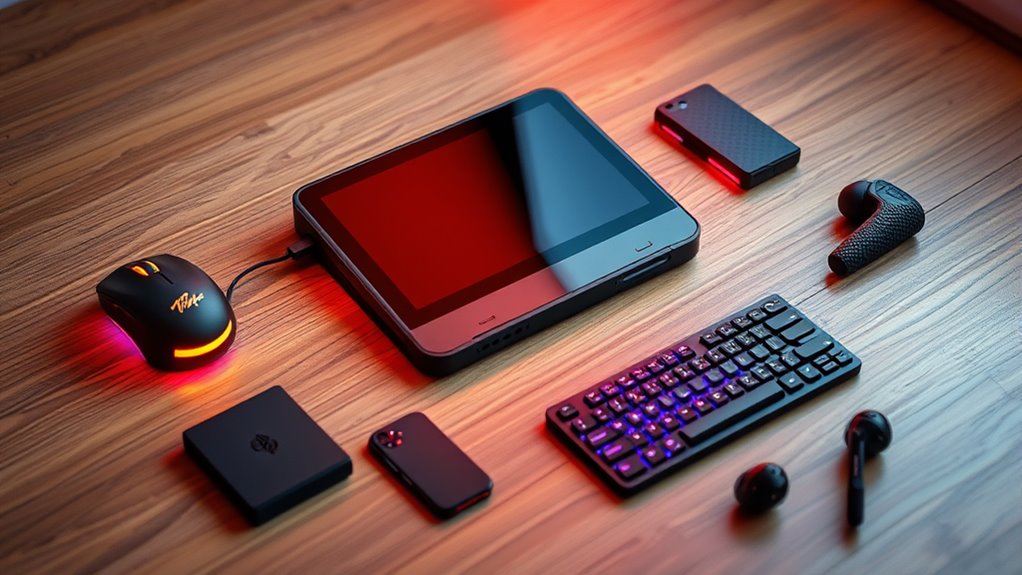

Choosing handheld gaming PC accessories comes down to what is limiting your setup: carrying protection, desktop-style connections, or easier text entry. I rank the PowerA Sling Bag first for everyday portability, the JSAUX 5-in-1 Dock for compact home or monitor use, and the Razer Handheld Dock Chroma for buyers who need a broader mix of ports. The DeckTop keyboard fills a narrower role for text and pointer control rather than serving as a general-purpose add-on.

Prime made for students and young adults
- Fast, free delivery for dorm and study essentials
- Prime Video and Amazon Music included
- Member-only deals
The main tradeoff is between portable protection and stationary connectivity. A sling bag helps carry the handheld and accessories but cannot expand its display or ports; docks add wired connections and charging, yet require a place to set up and, for Ethernet, an extra cable. I compare these four by how directly they solve a handheld PC problem, how broadly they fit the listed devices, and what limitations buyers need to accept.
Key Takeaways
- Choose the PowerA Sling Bag if carrying protection and four separate storage compartments matter more than adding ports.
- The JSAUX dock is the lighter, more compact docking pick at 141 g, but its two USB 2.0 ports are limited compared with Razer’s three USB-A ports.
- The Razer dock adds Gigabit Ethernet and adjustable viewing angles, while its 500 g weight makes it less appealing for minimalist travel.
- DeckTop is the only keyboard-and-trackpad-style accessory here, but its Bluetooth connection, battery requirement, and unclear device support call for extra compatibility checks.
- Check your exact handheld model before buying: PowerA warns that fit may vary, and JSAUX specifically excludes ROG Xbox Ally and Xbox Ally X.
| PowerA Sling Bag for PC Handheld Gaming |  | Best Overall for Carrying and Protection | Weight: 14.08 ounces | Material: Polyester | Compartments: 4 | VIEW ON AMAZON | See Our Full Breakdown |
| JSAUX 5-in-1 Docking Station for Steam Deck, ROG Ally X, Legion Go |  | Best Compact Dock for a Simple Desk Setup | Ports: 5-in-1: HDMI, Ethernet, USB, USB-C | USB ports: 2 USB 2.0 | HDMI output: Up to 4K at 120 Hz, as listed | VIEW ON AMAZON | See Our Full Breakdown |
| Razer Handheld Dock Chroma – Charging Hub & Expanded Connectivity, 100W |  | Best Premium-Feature Dock for Port Variety | Ports: 3 USB-A, 1 USB-C, HDMI 2.0, Gigabit Ethernet | Power delivery: 100W passthrough | Hinge positions: 45° and 75° | VIEW ON AMAZON | See Our Full Breakdown |
| DeckTop – Steam Deck Keyboard and Bluetooth Trackpad Mouse |  | Best for Text Entry and Pointer Control | Connectivity: Bluetooth | Input: Keyboard and trackpad mouse | Layout: QWERTY | VIEW ON AMAZON | See Our Full Breakdown |
| handheld gaming pc accessorie | Weight | Material | Compatibility | Warranty |
|---|---|---|---|---|
| PowerA Sling Bag for PC Handhe | 14.08 ounces | Polyester | Steam Deck OLED, ASUS ROG Ally X, Legion Go, MSI Claw | 2-year limited warranty |
| JSAUX 5-in-1 Docking Station f | 141 g | — | — | — |
| Razer Handheld Dock Chroma | 500 g | Aluminum chassis | Legion Go, Nintendo Switch, ROG Ally, Steam Deck, select phones and tablets | 2 years manufacturer warranty |
| DeckTop | — | — | — | — |
More Details on Our Top Picks
PowerA Sling Bag for PC Handheld Gaming
I put the PowerA Sling Bag first because it solves the most universal handheld-PC accessory problem in this group: getting the device and its small essentials from place to place with some organization. Its padded main compartment is listed for Steam Deck OLED, ASUS ROG Ally X, Legion Go, and MSI Claw, while four compartments give a headset, controller, or cables somewhere separate to go. That is a more direct travel benefit than either dock offers.
The adjustable shoulder strap and breathable mesh back panel suit a bag meant to be carried, and a cable pass-through supports charging while on the move. Compared with the 141 g JSAUX dock, the sling is about protection and carrying capacity rather than a compact accessory you attach to a desk setup. Its listed weight is 14.08 ounces, so it adds bulk beyond the handheld itself; it is not a substitute for a small sleeve if all you want is minimal padding.
The main caveat is fit: PowerA says the bag may not fit every handheld PC model. I would check the device’s dimensions and account for any protective case instead of relying on a compatibility list alone. The two-year limited warranty is a useful ownership detail, but it does not remove the need to verify fit. For buyers who regularly pack a handheld with its accessories, this is the most broadly useful starting point in the lineup.
Pros:- Padded main compartment is designed for several named handheld PC models.
- Four compartments help separate the handheld from accessories.
- Adjustable strap and breathable mesh back panel support carrying comfort.
- Cable pass-through allows charging access while the device is packed.
Cons:- Fit may not work for every handheld model or a device in a bulky case.
- The sling adds more carrying bulk than a compact sleeve.
Best for: Handheld PC owners who carry their device with a headset, controller, or cables and want padded storage in one bag.
Not ideal for: Buyers seeking a slim sleeve, a dock, or confirmed fit for a handheld model not listed by PowerA.
- Weight:14.08 ounces
- Material:Polyester
- Compartments:4
- Strap:Adjustable shoulder strap
- Compatibility:Steam Deck OLED, ASUS ROG Ally X, Legion Go, MSI Claw
- Charging access:Cable pass-through
- Warranty:2-year limited warranty
Our verdict“For buyers who travel with their handheld and its accessories, the PowerA sling offers the clearest everyday benefit in this four-product group.”
JSAUX 5-in-1 Docking Station for Steam Deck, ROG Ally X, Legion Go
The JSAUX 5-in-1 Dock is the easier pick for a buyer who wants to connect a handheld to an external display without carrying a larger hub. At 141 g and roughly 4.45 by 2.64 by 1.1 inches, it is much lighter than Razer’s 500 g dock. Its listed connections cover HDMI, Ethernet, USB, and USB-C, while 100W power delivery passthrough can keep the handheld charging during a session when paired with suitable power equipment.
Its headline 4K at 120 Hz HDMI output sets it apart on paper, but the result depends on the handheld, display, cable, and game. The two USB 2.0 ports are the bigger practical limitation. Compared with Razer’s three USB-A ports, the JSAUX leaves less room for several wired peripherals at once, and the listing does not mention an SD card reader. Choose it for a straightforward monitor-and-peripheral arrangement, not for maximum expansion.
Compatibility also needs care. The supplied list names Steam Deck LCD and OLED, ROG Ally and Ally X, Legion Go and Go S, MSI Claw and 8 AI+, and OneXPlayer, but specifically excludes ROG Xbox Ally and Xbox Ally X. That exception makes checking the exact model particularly important. Compared with the PowerA bag, this dock does nothing for carrying protection; compared with Razer, it favors lighter transport over a richer connection layout.
Pros:- Light 141 g design is easier to carry than the Razer dock.
- Supports listed 4K at 120 Hz HDMI output.
- 100W power delivery passthrough supports charging while docked.
- Compatibility list covers several popular handheld PC families.
Cons:- Only two USB 2.0 ports are listed.
- Not compatible with ROG Xbox Ally or Xbox Ally X.
- No SD card slot is listed.
Best for: Handheld PC owners who want a small dock for HDMI, Ethernet, charging, and a limited number of USB accessories.
Not ideal for: ROG Xbox Ally owners, users who need several USB connections, or buyers who want an SD card slot.
- Ports:5-in-1: HDMI, Ethernet, USB, USB-C
- USB ports:2 USB 2.0
- HDMI output:Up to 4K at 120 Hz, as listed
- Power delivery:100W
- Dimensions:4.45 × 2.64 × 1.1 inches
- Weight:141 g
- Compatibility note:Not compatible with ROG Xbox Ally or Xbox Ally X
Our verdict“The JSAUX is the sensible compact dock when its model compatibility and modest USB expansion match your setup.”
Razer Handheld Dock Chroma – Charging Hub & Expanded Connectivity, 100W
The Razer Handheld Dock Chroma is the stronger match for a desk setup with several wired devices. Its six-port layout includes three USB-A ports, HDMI 2.0, Gigabit Ethernet, and USB-C power delivery passthrough up to 100W. Against the JSAUX dock’s two USB 2.0 ports, that third USB-A connection and the clearly specified Ethernet connection give Razer an advantage when a keyboard, mouse, and another peripheral need to stay connected.
The dock’s adjustable hinge offers 45- and 75-degree viewing positions, which can make it easier to place a handheld screen at a comfortable angle. Its aluminum chassis and stated two-year manufacturer warranty add to the more substantial desk-dock proposition. It is also listed for a broad mix of handhelds, tablets, and phones, so it is not limited to one gaming device category.
That broader feature set comes with a real portability tradeoff: at 500 g, it is considerably heavier than the JSAUX model. The single USB-C port also limits simultaneous USB-C connections, and the Ethernet jack is useful only if you bring a separate network cable. I rank it behind JSAUX for general-purpose buying because many handheld owners may prefer a lighter dock; choose Razer when its extra USB-A ports, hinge, and wired network connection earn their space.
Pros:- Six-port selection includes three USB-A ports, HDMI, Ethernet, and USB-C power delivery.
- 100W passthrough charging supports powered play when used with suitable equipment.
- Hinge adjusts to 45 or 75 degrees for different viewing positions.
- Aluminum chassis and a two-year manufacturer warranty are specified.
Cons:- At 500 g, it is much heavier than the JSAUX dock.
- Only one USB-C port is provided.
- Using Ethernet requires carrying a separate cable.
Best for: Players building a more connected desk setup who value multiple USB-A ports, Gigabit Ethernet, and adjustable screen positioning.
Not ideal for: Travelers prioritizing the lightest kit or users who need multiple USB-C data connections.
- Ports:3 USB-A, 1 USB-C, HDMI 2.0, Gigabit Ethernet
- Power delivery:100W passthrough
- Hinge positions:45° and 75°
- Weight:500 g
- Material:Aluminum chassis
- Compatibility:Legion Go, Nintendo Switch, ROG Ally, Steam Deck, select phones and tablets
- Warranty:2 years manufacturer warranty
Our verdict“Pick Razer over JSAUX when richer USB-A connectivity and adjustable positioning matter more than keeping the dock light.”
DeckTop – Steam Deck Keyboard and Bluetooth Trackpad Mouse
The DeckTop keyboard and trackpad takes a different route from the bag and docks: it targets handheld owners who want keyboard-style input and pointer navigation. That can help with typing, desktop interfaces, or games that work better with keyboard controls. Its Bluetooth connection avoids a direct cable, and the listing describes mechanical keys and RGB lighting for a more traditional keyboard feel.
Unlike either dock, DeckTop does not add HDMI, Ethernet, or charging passthrough. It is a focused input accessory, so it makes sense only if the handheld’s on-screen controls or virtual keyboard are getting in the way. The listing calls it a 104-key QWERTY keyboard and also reports 19 buttons, details that do not clearly describe the physical layout together. I would verify the product dimensions and exact included controls before relying on it as a full-size keyboard replacement.
Compatibility is the largest concern in this lineup. The title names Steam Deck and ROG Ally, while the specification details also describe Linux compatibility and list laptop and PC use. That mixture does not establish support for every handheld PC or operating system. Bluetooth may also introduce latency compared with a wired connection, and the accessory requires two batteries and is not water resistant. Compared with the docks, it has the narrowest role and the most need for pre-purchase verification.
Pros:- Combines keyboard input with trackpad-style pointer control.
- Bluetooth connection avoids a direct cable to the handheld.
- Mechanical keys and RGB lighting are listed.
- The title names Steam Deck and ROG Ally support.
Cons:- Requires two batteries and is not water resistant.
- Bluetooth can add latency compared with wired input.
- Compatibility and the listed key and button counts are not fully clear.
Best for: Handheld owners who regularly type or use pointer controls and have confirmed Bluetooth and operating-system compatibility.
Not ideal for: Buyers seeking a dock, charging solution, broad verified compatibility, or a spill-resistant keyboard.
- Connectivity:Bluetooth
- Input:Keyboard and trackpad mouse
- Layout:QWERTY
- Key type:Mechanical
- Backlighting:RGB
- Power:Battery powered; 2 batteries required
- Compatibility information:Title names Steam Deck and ROG Ally; listing also specifies Linux
- Water resistance:Not water resistant
Our verdict“DeckTop is a specialized input add-on for buyers who have confirmed fit and compatibility, not a general accessory choice for every handheld owner.”

How We Picked
I organized these picks around four different jobs rather than treating every accessory as interchangeable. The lineup includes a carry solution, two docking stations, and a keyboard and trackpad accessory. My ranking favors the item with the clearest everyday role first, then distinguishes the docks by portability and connectivity, and places the keyboard where its narrower use and listed compatibility caveats are most relevant.
I compared the supplied compatibility claims, physical design, connection options, charging support, and stated limitations. For a handheld PC, a feature matters only when it changes how the device can be used: Ethernet can help create a wired desk setup, HDMI supports external displays, and separate bag compartments can keep a charger or headset from rubbing against the screen. I also weigh tradeoffs directly. A larger port selection can mean more gear to carry, while a compact dock may leave fewer connection options.
I use only the product information provided here and do not imply hands-on testing. Compatibility and fit can depend on the precise handheld model, case, cable, and power adapter. In particular, I treat the DeckTop’s broad device wording cautiously because its listing also specifies Linux-oriented operating system details. Buyers should confirm the accessory works with their exact hardware and intended setup before choosing it.
| handheld gaming pc accessorie | Material | Compatibility |
|---|---|---|
| PowerA Sling Bag for PC Handhe | Polyester | Steam Deck OLED, ASUS ROG Ally X, Legion Go, MSI Claw |
| JSAUX 5-in-1 Docking Station f | — | — |
| Razer Handheld Dock Chroma | Aluminum chassis | Legion Go, Nintendo Switch, ROG Ally, Steam Deck, select phones and tablets |
| DeckTop | — | — |
Factors to Consider When Choosing Handheld Gaming Pc Accessories
I would start by identifying where you use your handheld most. These products solve different problems, so choosing by headline feature alone can lead to an accessory that does not suit your routine.
Start With the Job You Need Done
For travel, the PowerA sling is the only option here that adds dedicated padded carrying space and organized compartments. For a monitor or wired desk setup, compare the JSAUX and Razer docks. For text entry and pointer use, consider DeckTop only after checking how its Bluetooth connection works with your device. If you do not need the feature an accessory adds, its weight and setup requirements are just extra baggage.
Compare Dock Size With Port Needs
The JSAUX dock weighs 141 g and provides two USB 2.0 ports, HDMI, Ethernet, and power passthrough. The Razer model weighs 500 g but supplies three USB-A ports, Gigabit Ethernet, HDMI, and an adjustable hinge. Pick JSAUX when fewer peripherals and lower carry weight suit you; choose Razer when its extra USB-A connections and viewing positions justify carrying a heavier dock. Neither listing includes a stated SD card slot.
Check Charging and Display Requirements
Both docks list 100W power delivery, but passthrough describes the dock’s capability, not a guarantee that every handheld will draw 100W. You still need a suitable power adapter and cable, and the device’s own charging limits apply. Likewise, JSAUX’s stated 4K at 120 Hz output depends on the handheld, display, and cable supporting the target signal. Razer specifies HDMI 2.0; check your screen and intended resolution before buying either dock.
Verify Exact Model Fit and Compatibility
Compatibility lists are not a substitute for checking your exact model. PowerA notes that its bag may not fit every handheld PC, especially when a protective case changes the device’s dimensions. JSAUX explicitly excludes ROG Xbox Ally and Xbox Ally X. DeckTop’s title and operating-system details do not give a fully consistent picture of support, so confirm compatibility directly for your handheld and software. Check included cables, case clearance, and any required power equipment too.
Treat Input Accessories as a Specialized Choice
A keyboard and trackpad can make desktop navigation and text entry more comfortable, but they do not replace a dock’s wired display and networking connections. DeckTop is battery powered, uses Bluetooth, and is listed as not water resistant. If you mainly play with a controller, its keyboard features may see little use. If typing is a regular part of your handheld routine, weigh the convenience of wireless input against battery upkeep, possible latency, and the need to verify the layout and OS support.
Frequently Asked Questions
Which accessory is the best starting point for most handheld PC owners?
I would start with the PowerA Sling Bag if you carry the handheld outside the home, since it adds padded storage and four compartments rather than solving a need that applies only at a desk. If your device rarely leaves a fixed setup, a dock is a more useful first purchase: JSAUX for lighter carry, or Razer for more USB-A connections.
Should I choose the JSAUX dock or the Razer dock?
Choose JSAUX when low weight and a small footprint matter more than having many USB connections. Choose Razer when you expect to connect several USB-A accessories, want Gigabit Ethernet, or value its adjustable hinge. JSAUX lists two USB 2.0 ports and weighs 141 g; Razer lists three USB-A ports and weighs 500 g, making the tradeoff clear.
Will the JSAUX dock work with every ROG Ally model?
No. The provided compatibility information lists ROG Ally and ROG Ally X but explicitly says it is not compatible with ROG Xbox Ally or Xbox Ally X. Check the exact device name and model before ordering, particularly if your handheld belongs to the newer Xbox Ally line.
Does 100W power delivery mean a dock will charge any handheld at 100W?
No. The 100W figure describes the dock’s passthrough capability, while the handheld, adapter, and cable determine how much power is actually delivered. Use a compatible power supply and check your device’s charging specifications; the listed maximum should not be read as a promise that every connected handheld will charge at that rate.
Is DeckTop a good choice for every Steam Deck or ROG Ally owner?
Not without checking compatibility and intended use. DeckTop is aimed at keyboard and pointer input, but its listing combines Steam Deck and ROG Ally claims with Linux-oriented details, and it requires two batteries. It makes the most sense for someone who regularly types or navigates desktop interfaces and has verified that the accessory works with their device and operating system.
Conclusion
My recommendation depends on how your handheld fits into your routine. For travel and organized protection, choose the PowerA Sling Bag after checking device and case fit. For a light desk or monitor setup, JSAUX is the compact dock, provided its two USB 2.0 ports and model exclusions work for you. For a peripheral-heavy setup, Razer offers more USB-A connections and an adjustable hinge at the cost of substantially more weight. Choose DeckTop only if keyboard and pointer input are regular needs and its compatibility checks out. These four accessories serve distinct jobs; matching the job to your setup matters more than collecting features you will not use.
Fall Picks

Arlo Essential Outdoor Pan-Tilt-Zoom Security Camera, 2K, Wired, 2-Camera System
As an affiliate, we earn on qualifying purchases.