For most families, the Snap Circuits Classic SC-300 is the best overall electronic science kit for kids because its broad project selection supports repeat play as skills grow. The Snap Circuits Jr. SC-100 is a simpler starting point, while the ELEGOO UNO R3 Smart Robot Car Kit suits kids ready to move from circuits into programmable robotics. The main tradeoff is between easy, tool-free experimentation and more complex builds that ask for patience, setup, and adult help. Project counts can be useful, but age fit, instructions, and the kind of science a child wants to explore matter more. Read on for the full breakdown and help choosing the right kit.

Prime made for students and young adults
- Fast, free delivery for dorm and study essentials
- Prime Video and Amazon Music included
- Member-only deals
Key Takeaways
- Snap Circuits Classic SC-300 leads for range: it offers a broader project runway than the Jr. SC-100, though its larger scope can be more than a first-time builder needs.
- Snap Circuits Jr. SC-100 is the clearest beginner route: its 100-plus projects make circuit exploration approachable without starting with robotics or programming.
- National Geographic’s 120-project circuit kit is a strong middle ground: it offers more project variety than the 60-plus-project Circuit Maker Kit, while both keep the focus on electrical experiments.
- Robotics kits serve a different goal from snap-together circuit boards: ELEGOO and Butterfly EduFields 40-in-1 are better matches for moving builds, but may call for more setup and adult support.
- High project counts do not tell the whole story: kits listing hundreds of projects may sound extensive, but buyers should also check how clearly the activities are explained and whether the parts fit the child’s skill level.


| electronic science kits for kid | Brand | Projects |
|---|---|---|
| ELEGOO UNO R3 Smart Robot Car | — | — |
| Snap Circuits Jr. SC-100 Elect | — | 100+ |
| National Geographic Circuit Ma | Blue Marble | 60+ |
| Snap Circuits Arcade STEM Elec | Snap Circuits | Over 200 |
| SMILESSKIDDO Electronics STEM | SMILESSKIDDO | — |
| Anyeve Electronics Science Kit | Anyeve | 448+ |
| Dr. STEM Toys Circuit Science | Dr. STEM Toys | — |
| Butterfly EduFields 30-in-1 El | Butterfly EduFields | — |
| VLGOEM 66-Piece Electronics ST | VLGOEM | — |
| Science Kidz Electronics Kit: | Science Kidz | — |
| Butterfly EduFields 10-in-1 ST | Butterfly EduFields | 10 |
| National Geographic Circuit Ki | Blue Marble | 120+ |
| GadgetGlee STEM Electric Circu | GadgetGlee | — |
| Snap Circuits Classic SC-300 S | — | 300+ |
| ButterflyEdufields 40-in-1 STE | Butterfly EduFields | 40+ |
More Details on Our Top Picks
ELEGOO UNO R3 Smart Robot Car Kit V4 with Camera
For kids ready to move beyond snap-together circuits, this kit turns electronics into a programmable vehicle. Its UNO R3 controller, motors, line-tracking and ultrasonic sensors let builders explore how code can guide a robot, while the ESP32-based camera module adds FPV video. App and IR control offer ways to operate the car before, or alongside, writing programs in the Arduino IDE. Compared with Snap Circuits Arcade, which emphasizes accessible circuit projects and interactive games, the ELEGOO is a more involved build with a stronger robotics focus. That extra flexibility comes with more setup: assembly and programming can challenge first-time builders, and adult help may be needed. Choose it for a motivated learner aged 12 or older; skip it if you want tool-free circuit activities for a younger child.
Pros:- Combines camera-based FPV video with line tracking and obstacle avoidance.
- UNO R3 controller and Arduino IDE support allow program customization.
- App and IR remote provide different ways to control the car.
- Illustrated instructions, keyed connectors, and sample programs support the build.
Cons:- Assembly and programming can require adult guidance for beginners.
- Its robotics and coding focus is less direct for learning simple circuit fundamentals.
- At 1.23 kg, it is less compact than a small tabletop circuit kit.
Best for: Ages 12 and up who want to assemble a robot car and progress from guided examples to Arduino coding.
Not ideal for: Families seeking a quick, tool-free introduction to basic circuits or a kit suitable for independent use by younger children.
- Controller:UNO R3
- Camera and Wi-Fi module:ESP32-WROVER-based
- Sensors:Line-tracking and ultrasonic
- Battery:2000 mAh rechargeable lithium-ion
- Control methods:ELEGOO app and IR remote
- Features:FPV video, line tracking, obstacle avoidance, auto follow
- Recommended age:12 years and up
- Dimensions:8 x 7 x 6 inches
- Weight:1.23 kg
Our verdict“Choose this for an older child ready for a hands-on Arduino robotics project, not for a beginner seeking simple snap-together circuits.”
Snap Circuits Jr. SC-100 Electronics Kit, 100+ Projects, Ages 8+
This is the most approachable starting point here for a child learning what a circuit does. Numbered, color-coded components snap onto the included grid, and the illustrated manual guides projects without soldering or tools. That makes it easier to focus on how parts connect than a robot build like the ELEGOO UNO R3 Smart Robot Car Kit, which also asks children to assemble a vehicle and engage with programming. With 100+ projects, the SC-100 offers plenty of guided experimentation, though its emphasis is basic electronics rather than games or robotics. The product information differs on component count, describing 28 parts in one place and over 30 in another, so I would not choose it based on that number. Batteries are also required, and the kit does not include them.
Pros:- Snap-together parts make circuit building accessible without soldering or tools.
- Numbered, color-coded components help children follow project instructions.
- Includes an illustrated manual and plastic snap-grid.
- More than 100 projects offer guided practice with basic electronics.
Cons:- Batteries are required and must be supplied separately.
- Listed component counts conflict, making the exact count unclear.
- The focus on introductory circuits is less engaging for children seeking robotics or game-building.
Best for: Families with children aged 8 and up who want a clear, tool-free first kit for learning basic circuit connections.
Not ideal for: Children who want programmable robots, camera features, or elaborate arcade-style electronics rather than introductory circuit projects.
- Model:SC-100
- Recommended age:8 years and up
- Projects:100+
- Components:28 electrical components; some descriptions state over 30
- Included:Plastic snap-grid, electrical components, project manual
- Assembly:Snap-together; no soldering or tools required
- Batteries:Required; not specified as included
Our verdict“Pick the SC-100 for a straightforward first electronics kit, but choose Snap Circuits Arcade for a stronger emphasis on interactive games.”
National Geographic Circuit Maker Kit for Kids, 60+ Projects
The Circuit Maker stands out for projects that make electrical ideas visible, from lighting a fiber-optic bundle to levitating a ball and flying a copter. Its tool-free snap-together parts keep the activities accessible to children aged 8 and up, while illustrated instructions and QR-linked videos give families two ways to follow a build. Compared with Snap Circuits Jr. SC-100, which offers more than 100 projects and a broad introductory approach, this kit lists 60+ projects but highlights a more distinctive mix of demonstrations. That can make each activity feel like a show-and-explain experiment, though it provides fewer listed projects than the SC-100. The listed 11 x 3 x 12-inch dimensions also call for some storage space, and younger children may need another kit designed for their age.
Pros:- Includes distinctive activities such as fiber-optic lighting, levitation, and a flying copter.
- Snap-together components require no tools.
- Provides both illustrated instructions and QR-linked videos.
- Offers hands-on electrical experiments for ages 8 and up.
Cons:- Lists 60+ projects, fewer than the 100+ in Snap Circuits Jr. SC-100.
- Its listed dimensions may take up noticeable storage space.
- The age recommendation may rule it out for younger children.
Best for: Children aged 8 and up who learn well from visible, varied demonstrations and benefit from video instructions alongside a printed guide.
Not ideal for: Buyers prioritizing the largest stated project count or a particularly compact kit for limited storage.
- Brand:Blue Marble
- Age range:8 years and up
- Projects:60+
- Set name:Circuit Maker
- Material:Plastic
- Dimensions:11 x 3 x 12 inches
- Weight:2 pounds
- Model number:NGCIRCUIT60
Our verdict“Choose this when unusual visual experiments and video guidance matter more than having the largest project count.”
Snap Circuits Arcade STEM Electronics Kit for Kids Ages 8+
For a child who is more likely to stick with electronics when there is a game to build, the Arcade kit has a clear advantage: its pre-programmed microcontroller supports interactive projects among more than 200 activities. Color-coded parts snap onto a reusable plastic grid, so children can assemble without tools or soldering. Compared with Snap Circuits Jr. SC-100, which is the simpler choice for basic circuit learning, Arcade leans toward play and a broader project count. It is also less focused on open-ended coding than the ELEGOO robot car, which gives older learners Arduino programming and robotics. The tradeoffs are practical: three AA batteries are required but not included, and the age recommendation starts at 8. Choose it for guided, game-oriented building rather than a programmable robot or a minimal beginner kit.
Pros:- Supports more than 200 hands-on projects.
- Pre-programmed microcontroller adds interactive game-building activities.
- Color-coded components attach to a reusable grid without tools or soldering.
- Instruction book supports guided building.
Cons:- Requires three AA batteries, which are not included.
- Its game-oriented focus may be less direct for learning basic circuits than Snap Circuits Jr. SC-100.
- Not intended for children below the recommended age of 8.
Best for: Children aged 8 and up who enjoy building electronic games and want guided projects with an interactive element.
Not ideal for: Families who want batteries included, a coding-focused robotics project, or the simplest possible introduction to circuits.
- Brand:Snap Circuits
- Set:Arcade
- Recommended age:8 years and up
- Components:30
- Projects:Over 200
- Batteries:3 AA required; not included
- Assembly:Snap-together components; no tools or soldering required
- Included:Assembly parts and instruction book
Our verdict“Choose Arcade for a child drawn to electronic games, while the SC-100 is a simpler fit for basic circuit practice.”
SMILESSKIDDO Electronics STEM Science Kit with 35 Circuit Parts
SMILESSKIDDO pairs 35 snap-together circuit parts with a claimed 420+ experiments, making it appealing to families who want a large menu of guided activities. A 37-page illustrated manual and four indicator cards help explain concepts such as series and parallel connections, giving the project count some instructional support. Compared with Snap Circuits Jr. SC-100, this kit lists many more experiments and includes specific circuit-concept aids, while the SC-100 has a clearer beginner profile and a more established project format in its supplied details. The tradeoffs are that the large activity count does not by itself show how much projects vary, and AA batteries are not included. Although its stated age begins at 3, children at the younger end will need adult supervision with electrical components and directions.
Pros:- Lists more than 420 experiments using 35 circuit parts.
- Snap-together construction requires no soldering or extra tools.
- 37-page illustrated manual and four indicator cards support guided learning.
- Introduces series and parallel circuit concepts.
Cons:- AA batteries are required but not included.
- The large experiment count does not specify how many activities are substantially different.
- Children at the lower end of the stated age range need adult supervision.
Best for: Families seeking many guided circuit activities and concept prompts for children who can use the kit with age-appropriate adult supervision.
Not ideal for: Buyers who want batteries included, a robotics build, or a project count that clearly indicates how distinct each activity is.
- Brand:SMILESSKIDDO
- Model:RC1007
- Circuit parts:35
- Experiments:More than 420
- Manual:37 pages
- Indicator cards:4
- Power:AA batteries required; not included
- Dimensions:14.5 x 11 x 3.1 inches
- Recommended age:3 years and up
Our verdict“Choose SMILESSKIDDO for a broad set of guided circuit experiments and concept aids, but choose Snap Circuits Arcade for game-focused projects.”
Anyeve Electronics Science Kit with 448+ Circuit Projects for Kids
Anyeve stands out for sheer project volume: its 32 snap-together parts are presented as a way to build more than 448 circuits, from simple setups to logic systems. The tool-free assembly makes it more approachable than kits that require separate construction materials, while the mini vacuum and RGB light modules add variety beyond basic bulbs and switches. Compared with the Science Kidz 188 Circuit Projects kit, Anyeve promises a much larger activity library, though the project count alone does not tell parents how much the activities differ in difficulty or depth. Its step-by-step manual gives beginners a route into the builds, but AA batteries are not included, so a first session may require preparation. The broad stated age range also makes adult guidance a sensible choice for younger children.
Pros:- 32 snap-together parts support a broad range of listed circuit projects
- No soldering or tools are needed
- Step-by-step manual gives children a guided starting point
- Mini vacuum and RGB light modules add variety to the builds
Cons:- AA batteries are required but not included
- The wide recommended age range does not clarify which builds suit different skill levels
Best for: Families who want a large menu of snap-together circuit projects and can provide AA batteries.
Not ideal for: Buyers seeking a clearly age-targeted kit or a ready-to-use set that includes its required batteries.
- Brand:Anyeve
- Model:RC1001A
- Recommended age:36 months–12 years
- Circuit parts:32
- Projects:448+
- Included components:Plastic base grid, 32 circuit parts, project manual
- Battery requirement:AA batteries, not included
Our verdict“Choose Anyeve if a large project library and varied modules matter more than included batteries or narrow age guidance.”
Dr. STEM Toys Circuit Science Kit with 100+ Electrical Experiments
Dr. STEM Toys is aimed at learners ready for a more conventional introduction to electronics, with 100+ experiments and an age range of 8–16. Its activities span lights and sounds as well as a working radio, bell, floating ball, and motorized projects, giving children several ways to see electrical ideas at work. Compared with the VLGOEM 66-Piece Electronics STEM Kit, this set highlights a wider mix of named experiment types, while VLGOEM emphasizes color-coded snap-together parts and a younger starting age. That makes Dr. STEM Toys a better fit for school-age children who can follow experiment instructions, but a weaker match for preschoolers or early readers. The listed warranty is 30 days, and the provided product details do not specify the kit’s component count or battery requirements, so buyers should check what each activity needs.
Pros:- Offers more than 100 hands-on experiments
- Activities include a working radio, lights, sounds, bells, and motorized builds
- Age guidance targets school-age learners through teens
- Listed for use at home or in school
Cons:- Age guidance of 8–16 excludes many younger beginners
- The listed manufacturer warranty lasts only 30 days
- Product details do not specify component count or battery requirements
Best for: Parents and educators seeking varied introductory electronics activities for children around 8 and older.
Not ideal for: Families shopping for preschoolers or buyers who need clearly stated component and battery details before purchase.
- Brand:Dr. STEM Toys
- Model:D518
- Age range:8–16 years
- Experiments:100+
- Materials:Plastic, metal, paper
- Dimensions:3.5 x 17.5 x 13.5 inches
- Weight:2.5 pounds
- Warranty:30 days
Our verdict“Pick Dr. STEM Toys for an older beginner who wants varied experiment types, not for a young child needing clearly detailed parts information.”
Butterfly EduFields 30-in-1 Electricity and Magnetism STEM Science Kit for Kids Ages 8–12
This Butterfly EduFields kit has a more focused science brief than the broad circuit-project sets: its 30+ builds center on electricity and magnetism, with examples such as an electromagnetic crane, electroscope, DC motor, and rheostat. That focus may suit a curious child who wants to connect circuit building with specific science concepts rather than simply work through a long project count. Compared with the Dr. STEM Toys 100+ Electrical Experiments kit, Butterfly lists fewer projects but names several magnetism-related builds, making its subject emphasis clearer. It includes 50 items and an illustrated, step-by-step manual, but the description says projects require components without identifying every material needed. Age guidance also conflicts: the title says 8–12, while the specs say 8–17, so families should use the project instructions and the child’s experience to judge fit.
Pros:- Projects explicitly cover electricity and magnetism
- Named builds include an electromagnetic crane, electroscope, DC motor, and rheostat
- Illustrated step-by-step manual supports guided building
- Includes 50 items, including wires, bulbs, switches, connectors, and LEDs
Cons:- The listed age guidance varies between 8–12 and 8–17 years
- The product description does not specify every material required for the projects
Best for: Families of school-age children interested in guided projects that link basic circuits with electricity and magnetism.
Not ideal for: Buyers who need a consistent age recommendation or a complete, explicitly itemized list of everything each project requires.
- Brand:Butterfly EduFields
- Project count:30+
- Number of items:50
- Age guidance:Title: 8–12 years; specs: 8–17 years
- Topics:Electricity and magnetism
- Included components:Wires, bulbs, switches, connectors, LED lights, and instruction manual
- Instruction language:English
- Model number:STEM Projects For kids Ages 8-12
Our verdict“Choose Butterfly EduFields when concept-focused electricity and magnetism activities matter more than a large project count or unambiguous age guidance.”
VLGOEM 66-Piece Electronics STEM Kit for Kids
VLGOEM’s clearest practical distinction is that no batteries are required, which removes one common setup step for beginner circuit activities. Its 66 color-coded, numbered plastic parts snap onto a grid without soldering or extra tools, a straightforward format for children beginning around age six. Compared with the Science Kidz 188 Circuit Projects kit, VLGOEM lists fewer details about project quantity but gives buyers a clear parts count, age recommendation, and compact package dimensions. That makes it easier to judge what arrives, though the listed robotics theme does not mean the kit is a programmable robot-building set. The manual supports guided builds, but the plastic components and basic-circuit focus are less suited to children ready for deeper electronics or more advanced engineering activities.
Pros:- No batteries are required
- 66 color-coded, numbered parts snap onto a grid
- No soldering or extra tools are needed
- Recommended for children aged six and up
Cons:- Plastic components may feel basic to children ready for more advanced builds
- The product details do not state a project count
- The robotics theme may suggest more robot-building depth than the basic circuitry description establishes
Best for: Families seeking a no-battery, snap-together introduction to basic circuitry for children aged six and up.
Not ideal for: Older children looking for advanced electronics, programmable robotics, or projects with a clearly stated high project count.
- Brand:VLGOEM
- Model number:XHJ-1
- Pieces:66
- Recommended age:6 years and up
- Material:Plastic
- Battery requirement:No batteries required
- Dimensions:11.8 x 10.6 x 3.1 inches
- Weight:2.3 pounds
Our verdict“Choose VLGOEM for a low-setup first circuit kit, but look elsewhere if your child wants advanced electronics or a defined project library.”
Science Kidz Electronics Kit: 188 Circuit Projects and Experiments for Kids
Science Kidz offers a defined learning progression: its illustrated color manual guides children from simple circuits toward more challenging experiments, including light effects, sounds, and a flying UFO. The 188+ project count gives families a sizable activity pool without the much higher stated total of the Anyeve 448+ Circuit Projects kit. Science Kidz may be the more appealing choice when a clear step-up in project difficulty matters more than maximizing the number of listed builds. Snap-together parts keep assembly tool-free, and the product states that it complies with USA and EU toy safety standards. One practical drawback is the unusually long listed dimension of 24.3 inches, which may make storage less convenient. Age information also conflicts between the 5–10 range and a manufacturer recommendation of 0–12.
Pros:- Offers more than 188 circuit projects and experiments
- Snap-together parts allow tool-free assembly
- Illustrated color manual moves from simple circuits to more challenging builds
- Listed as compliant with USA and EU toy safety standards
Cons:- The listed 24.3-inch length may make storage awkward
- Age guidance conflicts between the 5–10 product range and a manufacturer recommendation of 0–12 years
Best for: Families who want a guided sequence of circuit projects that starts simply and grows more challenging for children roughly 5–10.
Not ideal for: Buyers with limited storage space or those who need consistent age guidance before choosing a kit.
- Brand:Science Kidz
- Model number:261
- Age guidance:Product range: 5–10 years; manufacturer recommendation: 0–12 years
- Experiments:More than 188
- Theme:Physics
- Dimensions:5.4 × 24.3 × 13.5 inches
- Weight:0.9 kg
- Safety standards:Complies with USA and EU toy safety standards
Our verdict“Choose Science Kidz for a guided progression through varied circuit builds, provided its long listed dimensions and inconsistent age guidance suit your household.”
Butterfly EduFields 10-in-1 STEM Electronics and Robotics Kit for Kids
I’d choose this kit for a child who wants to see electronics move beyond simple lights and switches. Its 10 projects and 100-plus components lead to a robot with line-following and obstacle-avoidance functions, giving the build a clear robotics payoff. Compared with the GadgetGlee STEM Electric Circuit Kit, which focuses on experiments such as fruit batteries and series circuits, this one puts more emphasis on assembling and controlling a device. The illustrated, step-by-step manual can help children work through builds, but the small components may demand patient handling and adult help for some learners. The listed age range spans 8–17, while the project description is aimed at ages 8–12, so older beginners may find the projects less challenging. Project timing is also unclear despite a brief-build claim.
Pros:- More than 100 components support varied hands-on assembly.
- Illustrated instructions guide children through the projects.
- Robot features include line following and obstacle avoidance.
Cons:- Small electronic components can be difficult for younger children to handle.
- The timing claim does not clarify how long each project takes.
Best for: Ages 8–12 who want guided electronics builds that culminate in a line-following or obstacle-avoiding robot.
Not ideal for: Children seeking a large library of experiments or older teens looking for advanced robotics; it has 10 projects and small parts that may need close supervision.
- Brand:Butterfly EduFields
- Model number:506
- Manufacturer age range:8–17 years
- Projects:10
- Components:Over 100
- Included components:Wires, switches, connectors, LED lights, and instruction manual
- Robot features:Line following and obstacle avoidance
Our verdict“Choose this for a child more interested in building a sensor-controlled robot than exploring a broad set of standalone circuit experiments.”
National Geographic Circuit Kit for Kids: 120 Electrical Projects
The standout here is breadth: 120-plus projects take kids from basic electrical experiments to builds such as a keyboard, light show, copter, and voice amplifier. Snap-together connections keep assembly accessible without tools, while illustrated and QR-linked video instructions offer more than one way to follow a build. Compared with the Snap Circuits Classic SC-300, this kit lists a larger project count and includes video guidance, while the Snap Circuits option has numbered, color-coded parts and a documented progression through projects. The tradeoff is that the project count alone does not tell a buyer how much variety or difficulty each build offers. It also needs batteries, and its 12-by-3-by-14.75-inch dimensions make it a less compact choice than the small GadgetGlee kit. I’d pick it for range, not portability.
Pros:- Offers more than 120 hands-on electrical projects.
- Snap-together components connect without tools.
- Illustrated and QR-linked video instructions provide two guidance formats.
- Project examples include a keyboard, light show, copter, and voice amplifier.
Cons:- Requires batteries for operation.
- Its listed dimensions make it bulkier than compact circuit experiment kits.
- The project count does not specify a learning sequence or difficulty range.
Best for: Families with children 8 and up who want many tool-free electrical builds and value both printed and video setup guidance.
Not ideal for: Buyers who need a compact kit or want a clearly stated progression by project difficulty; it is larger than the GadgetGlee kit and the supplied details do not describe project levels.
- Brand:Blue Marble
- Age range:8 years and up
- Projects:120+
- Educational focus:Electrical engineering, circuitry, and STEM
- Material:Plastic
- Dimensions:12 x 3 x 14.75 inches
- Weight:2.7 pounds
- Tools required:None
- Instructions:Illustrated instructions and QR-linked video instructions
Our verdict“Pick this when the widest stated selection of electrical projects and video-supported setup matter more than a compact footprint.”
GadgetGlee STEM Electric Circuit Kit for Kids
I’d put this kit on the shortlist for a child who needs a focused introduction to how circuits and energy sources work, rather than a large collection of snap-together builds. Its eight experiments include fruit batteries, series and parallel circuits, and saltwater power generation, giving the guidebook a clear teaching purpose. Compared with the National Geographic Circuit Kit for Kids, which offers 120-plus projects and builds like a voice amplifier, GadgetGlee is narrower in scope but more specifically centered on a handful of electrical concepts. Its compact 6.41 x 4.87 x 2.2-inch listed dimensions also make storage easier than that larger kit. The tradeoff is limited project volume, plus AA batteries are not included. Plastic construction may also be less suited to rough handling, so I’d favor it for supervised learning over frequent, unsupervised play.
Pros:- Covers series and parallel circuits, conductivity, and energy generation.
- Fruit-battery and saltwater-power experiments add variety beyond basic circuit assembly.
- Detailed circuit book supports guided learning.
- Compact listed dimensions suit limited storage space.
Cons:- Only eight experiments are listed, fewer than the National Geographic kit’s 120-plus projects.
- AA batteries are required but not included.
- Plastic construction may not hold up well to rough handling.
Best for: Parents and educators seeking a compact, guidebook-led set of circuit and energy experiments for children ages 8–12.
Not ideal for: Children who want a long sequence of varied electronic builds or need a kit ready to run without sourcing batteries; this set has eight experiments and requires separate AA batteries.
- Brand:GadgetGlee
- Model number:DP501
- Age range:8–12 years
- Experiments:8
- Packs:7
- Material:Plastic
- Battery requirement:AA batteries, not included
- Item dimensions:6.41 x 4.87 x 2.2 inches
- Package dimensions:5.55 x 6.57 x 2.56 inches
Our verdict“Choose GadgetGlee for a compact, guided lesson in core circuit ideas rather than a high-count project collection.”
Snap Circuits Classic SC-300 STEM Electronics Kit, 300+ Projects, Ages 8+
The SC-300 makes its case through a numbered, color-coded snap system and a project sequence that grows in complexity. That setup can help children identify parts and assemble circuits without soldering or tools, making the learning process less dependent on handling loose wiring. It lists 300-plus projects, including radios, alarms, doorbells, and lights, but there is an important instruction caveat: the included manual covers projects 1–8, while later instructions are online or downloadable. Compared with the National Geographic Circuit Kit for Kids, which includes QR-linked video instructions and names 120-plus projects, Snap Circuits offers more listed builds and clearer part identification, but requires finding the later guides separately. Four AA batteries are also needed and not included. I’d choose it for a child who likes structured progression, not a family seeking everything in one printed manual.
Pros:- Numbered, color-coded parts make components easier to identify.
- Snap-together assembly requires no soldering or tools.
- Projects progress in complexity and include practical electronic devices.
- More than 300 projects are listed.
Cons:- The included manual covers only projects 1–8; later instructions must be accessed online or downloaded.
- Requires four AA batteries, which are not included.
Best for: Children 8 and up who benefit from clearly identified components and want a progressive, tool-free introduction to electronics.
Not ideal for: Families who want all project directions in the box or need a kit ready to power immediately; most instructions are online or downloadable, and four AA batteries are separate.
- Model:SC-300
- Recommended age:8 years and up
- Projects:300+
- Electrical parts:47
- Power:4 AA batteries, not included
- Included items:Plastic snap-grid, 47 electrical parts, and project manual for projects 1–8
- Additional instructions:Projects 9–318 available online or as a download
- Assembly:Snap-together; no soldering or tools required
Our verdict“Choose the SC-300 for a structured, expandable snap-circuit path if you are comfortable sourcing later project instructions online.”
ButterflyEdufields 40-in-1 STEM Robotics Kit for Kids
This is the broadest robotics-focused choice in this batch: 40-plus projects and more than 100 components cover builds such as a line-following car, drawing robot, and hand water dispenser. Its reusable sensors, including IR, flame, touch, and LDR types, give kids more ways to explore how electronics respond to their surroundings. Compared with Butterfly EduFields’ 10-in-1 Electronics and Robotics Kit, this one promises a wider project range and plug-and-play assembly without coding knowledge; the 10-in-1 has a more specific emphasis on line following and obstacle avoidance. The main snag is battery compatibility: the included holder does not work with Duracell AA batteries, so families need to check their battery choice. The listed 8–17 age span is also broad, and the supplied details do not explain how project difficulty changes for older users.
Pros:- Supports more than 40 robotics and home automation projects.
- Includes over 100 components and multiple reusable sensors.
- Plug-and-play assembly needs no soldering, tools, or coding knowledge.
- Instructions and concept manuals support guided building.
Cons:- The included battery holder is not compatible with Duracell AA batteries.
- The broad 8–17 age range is not matched with details about project difficulty by age.
Best for: Families with children 8 and up who want a no-soldering, no-coding route into sensor-based robotics and simple home automation.
Not ideal for: Buyers who use Duracell AA batteries or want a clearly described progression for older teens; the holder is incompatible with Duracell and the project difficulty range is not specified.
- Brand:Butterfly EduFields
- Age range:8–17 years
- Projects:40+
- Components:100+
- Sensors:IR, flame, touch, LDR, and others
- Assembly:Plug-and-play; no soldering or tools required
- Battery requirement:AA batteries; Duracell batteries are not compatible with the included holder
- Material:Wood
- Dimensions and weight:8 x 5 x 1 inches; 0.8 kg
Our verdict“Pick this for a broad, approachable collection of sensor-based robot and automation builds, provided your AA batteries fit the holder.”
How We Picked
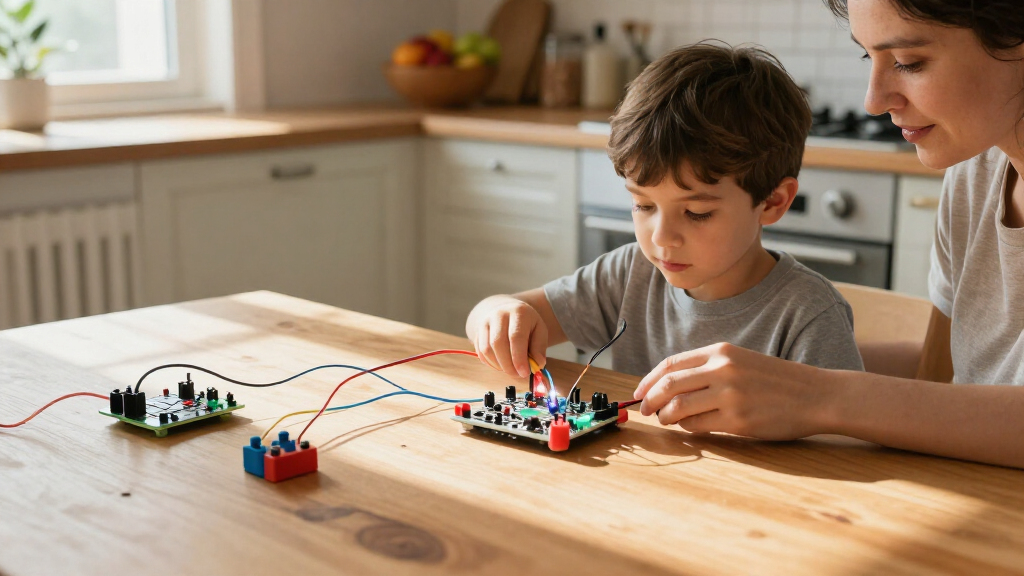
I compared the 15 kits by the kind of learning they support, how approachable the build process appears for the stated age range, and whether the project scope gives a child room to keep experimenting. I also considered the practical differences between snap-together circuit systems, general electricity and magnetism activities, and robotics kits, since those formats ask for different skills and adult involvement.
The ranking favors kits that balance usability, educational range, and a clear reason to choose them over another option in this lineup. The Snap Circuits Classic ranks first for its broad project scope; the Jr. SC-100 places higher for a simpler first experience. Robotics and larger project-count kits remain worthwhile for specific interests, but they rank below the leading circuit kits when setup, complexity, or less clearly differentiated project claims may narrow their appeal.
Factors to Consider When Choosing Electronic Science Kits For Kids
Project counts and colorful parts can make these kits seem interchangeable, but the better choice depends on what a child wants to build and how much help is available. I would use the following questions to match the kit format to the child, rather than choosing by the biggest number on the box.
Match the Build Format to the Child
Snap-together boards and wired experiments teach related ideas, but the experience is different. A snap-circuit kit lets a child rearrange components quickly, which supports trial and error and keeps assembly friction low. More involved kits can reward careful building, but a child who gets frustrated by small setup steps may spend more time asking for help than testing ideas. Robotics adds moving parts and, in some kits, programming, so it suits a child motivated by a finished moving creation. Before choosing, ask whether the child is drawn to switches and lights, science experiments, or a robot they can control.
Treat Age Guidance as a Starting Point
Age labels are useful signals, not a guarantee that a kit will feel easy or challenging enough. Reading comfort, patience with instructions, fine-motor skills, and familiarity with building all affect how independently a child can work. A younger beginner may enjoy a straightforward circuit kit with visible results, while an older child may want the added challenge of a robotics build. Buying a complex kit as a way to make a child “grow into it” can backfire if the first few steps require constant adult input. Check whether a parent or older sibling can join in before choosing a kit that stretches the recommended age range.
Look Beyond the Project Count
A large project number can signal variety, but it does not tell you how different those projects are or how clearly they are explained. Some activities may share the same core setup with one component changed, which can still teach useful cause and effect but may not feel like a new build every time. Look for evidence that the activities progress from simple circuits to more involved ideas, rather than relying on a headline number. A smaller collection of well-sequenced projects can be a better fit for a child who needs guidance. For an experienced builder, a larger parts set may matter more because it can invite independent combinations beyond the printed activities.
Decide How Much Adult Help Is Available
Some children can follow a diagram and work through a circuit independently; others benefit from an adult nearby to explain instructions or help troubleshoot. That difference can matter more than the kit’s project total. If the kit will be used during short, unsupervised play sessions, favor a format with clear steps and low setup demands. A parent who enjoys building alongside a child may find a more involved robotics or experiment kit rewarding rather than inconvenient. Check the instruction format and any stated need for tools, batteries, or software before buying, since missing setup items can interrupt the first session.
Choose the Learning Goal Before the Kit
“Electronics” can mean several things in this lineup: assembling circuits, exploring electricity and magnetism, or building a robot. A child who wants to understand how switches and lights connect may get more from a circuit-focused kit than from a robotics set with a more elaborate final build. If the child is drawn to movement and control, robotics may sustain interest even if it asks for more patience. Families can also think about whether they want a kit for solo exploration, shared projects, or a stepping stone to coding. Choosing the learning goal first helps avoid paying for complexity that does not match the child’s curiosity.
Plan for Repeat Use and Missing Supplies
Before buying, check what the kit includes and whether batteries, a compatible device, or other supplies are needed for the activities. A kit with many possible combinations can offer repeat play, but only if its parts remain organized and the child can return to unfinished builds. Small components are easy to misplace, so storage can affect how often a kit gets used after the first session. Consider where the kit will be set up and whether it can be packed away without losing pieces. This practical check is especially useful for robotics builds, which may take longer to assemble and may need more room than a compact circuit board.
Frequently Asked Questions
Which kit is the safest choice for a child who has never built a circuit?
I would start with a circuit kit aimed at beginners, such as the Snap Circuits Jr. SC-100, rather than a robotics kit or a project set with a more involved build process. The main advantage is that children can focus on how components connect without taking on a moving build or programming at the same time. Check the age guidance and the instructions before purchasing, since reading and patience levels vary. An adult nearby can help a child understand a diagram without taking over the project. If the child already enjoys building toys and following steps, a broader kit may be a better fit.
Should I choose a kit with more projects or one with more advanced builds?
Choose based on the kind of challenge the child will return to, not the largest project total. A higher count can provide more prompts for experimentation, but it may not mean every activity is substantially different. Advanced builds can be more rewarding for a child who wants to make a robot or tackle a longer project, but may demand more adult help. For a first kit, clear progression and manageable steps often matter more than volume. If the child has already completed basic circuit activities, a more involved kit may keep interest better than another set of similar introductory experiments.
Are robotics kits a good first choice, or should my child start with circuits?
A robotics kit can be a good first choice for a child who is already motivated by cars, movement, or controlled builds and enjoys following multi-step instructions. For many beginners, a circuit kit offers a gentler introduction because it focuses attention on connections and electrical effects without adding a moving assembly. Robotics may also require more setup and adult involvement, depending on the model. If you are unsure, consider what the child chooses during free play: building and experimenting points toward circuits, while moving creations may point toward robotics. A child can also start with circuits and move to robotics once the basics feel familiar.
What should I check before buying an electronics kit as a gift?
Start with the child’s age, previous building experience, and interest, then check the kit’s stated requirements and what comes in the box. A gift can disappoint if its first activity needs batteries, a device, or extra supplies that are not included. Look at whether the instructions appear suitable for the child’s reading level and whether an adult will be available to help. Consider storage too, especially for kits with many small parts or a build that may be left unfinished. When you do not know the child’s experience, a straightforward circuit kit is usually a less demanding introduction than a robotics set.
Can one kit support both independent play and parent-child projects?
Many kits can work for both, but the balance depends on how much guidance the build process requires. A child may be able to repeat familiar circuit activities independently, while a new or more complicated build can become a shared project. Robotics kits often lend themselves to parent-child construction when assembly or troubleshooting takes more time. If independent use is a priority, check for clear instructions and activities that can be completed in short sessions. If shared exploration is the goal, a kit with room for experimentation may be more satisfying than one used only to reproduce a fixed build.
Conclusion
For a broad introduction that can grow with a child, I would choose the Snap Circuits Classic SC-300 as the best overall pick. The Snap Circuits Jr. SC-100 is my best beginner choice and best value for families who want an approachable circuit-first kit without jumping to robotics. For a more involved project experience, the ELEGOO UNO R3 Smart Robot Car Kit is my best premium-style recommendation for kids drawn to robotics and willing to handle a more demanding build. The National Geographic 120-project kit is a solid choice for families who want electrical experiments with a wide project menu, while the Butterfly EduFields 30-in-1 is a better match when electricity and magnetism are the specific interest. Choose the kit that matches the child’s appetite for instructions, setup, and experimentation; a fitting format matters more than the biggest project count.
Black Friday Picks

Sonos Era 300 Wireless Smart Speaker with Dolby Atmos, Black
As an affiliate, we earn on qualifying purchases.