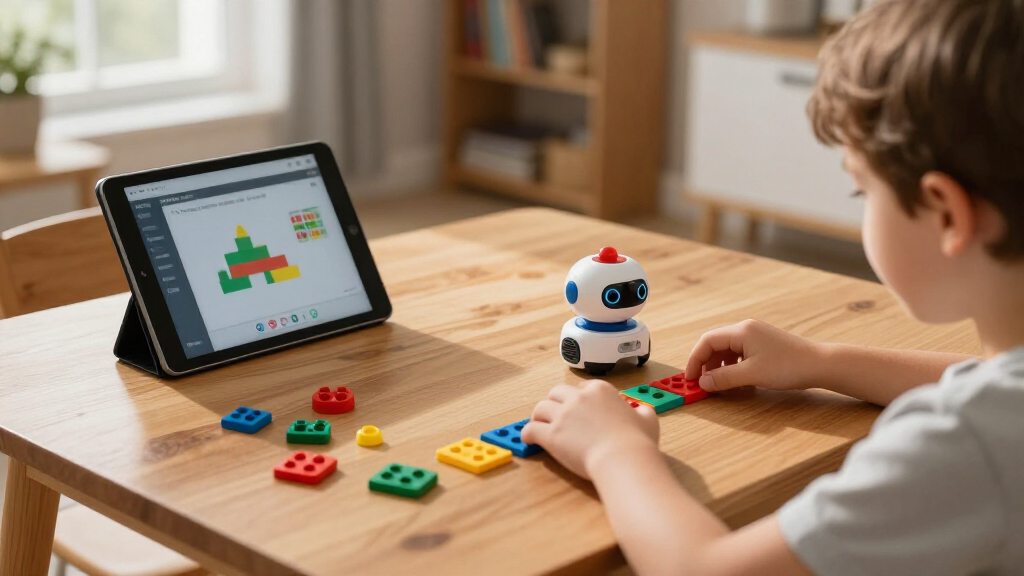

Choosing among educational coding robots for kids comes down to three questions: your child’s age, how much screen time you want, and how far the robot can grow with them. The Wonder Workshop Dash stands out as the best overall pick because it balances an easy entry point for six-year-olds with block-based coding apps that stay challenging for years. For younger kids or screen-free households, the Learning Resources Botley 2.0 Activity Set teaches sequencing and logic entirely offline, while the MatataStudio VinciBot is the strongest choice for older kids ready to move from Scratch into real Python. The main tradeoff in this category is between simplicity and longevity — robots that delight a five-year-old are often outgrown by age eight, while advanced kits frustrate beginners. Read on for the full breakdown of all 14 robots, including who each one is for and who should skip it.

Prime made for students and young adults
- Fast, free delivery for dorm and study essentials
- Prime Video and Amazon Music included
- Member-only deals
Key Takeaways
- Screen-free robots (Botley 2.0, Blue-Bot) teach core logic concepts at ages 4-7 but are usually outgrown within two years, so they’re best treated as starter purchases rather than long-term investments.
- The strongest growth-path picks — Dash, VinciBot, and Ozobot Ari — support multiple coding languages, meaning one purchase can carry a child from icon-based commands at age 6 to Python by age 12.
- Build-first kits like the Makeblock mBot, HPROM 5-in-1, and Thames & Kosmos Chameleon add a construction layer that doubles the engagement time but also doubles the frustration risk for impatient kids.
- Novelty formats (PYXEL’s dog tricks, Artie 3000’s drawing) are powerful motivators for kids indifferent to standard wheeled robots, but their coding depth plateaus earlier than general-purpose platforms.
- Classroom-oriented bundles like the TTS Programming Journey set cost far more than a single home robot and only make sense for teachers or homeschool co-ops serving many kids at different levels.
| Programming Journey Coding Robotics Bundle with JoyUsing V500S Document Camera |  | Best Classroom Bundle | Included robots: Go and Glow-Bot, Bee-Bot, Blue-Bot, Tuff-Bot, Loti-Bot, Oti-Bot | Document camera: JoyUsing V500S | Camera resolution: 8MP autofocus | VIEW LATEST PRICE | See Our Full Breakdown |
| Ozobot Ozo at Home: Interactive STEM Coding Robot for Kids Ages 5+ |  | Best for Homeschool Beginners | Recommended age: 5+ | Activities included: 27 | Learning formats: Mystical Forest Mat, Blank Magnetic Board, Color Codes, Ozobot Blockly, engineering challenges | VIEW LATEST PRICE | See Our Full Breakdown |
| See & Say Blue-Bot Coding Robot with Countryside Activity Mat |  | Best for Early Elementary Classrooms | Movement: Forward, backward, left, right turns | Connectivity: Bluetooth wireless | Power: Rechargeable battery | VIEW LATEST PRICE | See Our Full Breakdown |
| Makeblock mBot STEM Coding Robot Kit for Kids Ages 8-12 |  | Best Build-and-Code Value | Recommended age: 8 years and up | Assembly time: ~15 minutes | Power: 4 AA batteries (not included); remote requires CR2025 (not included) | VIEW LATEST PRICE | See Our Full Breakdown |
| Thames & Kosmos My Robotic Pet: Coding Chameleon STEM Building Kit |  | Best Screen-Free Pick | Model length: 15 inches | Sensors: Color sensor, infrared sensor | Lighting: RGB LEDs | VIEW LATEST PRICE | See Our Full Breakdown |
| HPROM STEM Robot Building Kit for Kids Ages 6-16, 603 PCS 5-in-1, App & Remote Control, Rechargeable Coding Robot Toy |  | Best Value Building Kit | Pieces: 603 | Models: 5-in-1 rebuildable designs | Recommended Age: 6-16 years | VIEW LATEST PRICE | See Our Full Breakdown |
| Learning Resources Botley the Coding Robot |  | Best Screen-Free Pick | Age Range: 5+ years | Programming Steps: Up to 80 | Screen-Free: Yes | VIEW LATEST PRICE | See Our Full Breakdown |
| Wonder Workshop Dash Coding Robot for Kids 6+ |  | Best Ready-to-Play Robot | Recommended Age: 6 years and up | Battery Life: Up to 5 hours per charge | Assembly: None required | VIEW LATEST PRICE | See Our Full Breakdown |
| Ozobot Ari Coding Robot Kit | Ages 8-14 | STEM Coding for Kids & Teachers |  | Best for STEM Classrooms | Recommended Age: 8-14 years | Display: Built-in interactive touchscreen | Sensors: Accelerometer, gyroscope, time-of-flight distance sensor | VIEW LATEST PRICE | See Our Full Breakdown |
| Educational Insights PYXEL Coding Robot |  | Best Path to Python | Recommended Age: 8 years and up | Coding Languages: Blockly and Python | Connectivity: Password-protected Wi-Fi; no internet or app required | VIEW LATEST PRICE | See Our Full Breakdown |
| Educational Insights Artie 3000 Coding & Drawing Robot |  | Best for Coding-to-Art Crossover | Brand: Educational Insights | Recommended Age: 7-12 years | Coding Languages: Blockly, Snap!, JavaScript, Python | VIEW LATEST PRICE | See Our Full Breakdown |
| MatataStudio VinciBot Coding Robot for Kids 8-12, Scratch & Python STEM Toy |  | Best Advanced Pick | Brand: MatataStudio | Recommended Age: 8-12 years and up | Programming Languages: Scratch, Python | VIEW LATEST PRICE | See Our Full Breakdown |
| Ozobot Evo Entry Kit Coding Robot for Kids Ages 5-11 |  | Best for Growing Skill Levels | Recommended Age: 5-11 years (grades K-12) | Coding Methods: Ozobot Blockly (online), Color Codes (screen-free) | Skill Levels: 5, from beginner to master | VIEW LATEST PRICE | See Our Full Breakdown |
| Learning Resources Botley 2.0 The Coding Robot Activity Set |  | Best Screen-Free Starter | Brand: Learning Resources | Recommended Age: 5-9 years | Total Pieces: 78 | VIEW LATEST PRICE | See Our Full Breakdown |
| educational coding robots for kid | Recommended age | Includes |
|---|---|---|
| Programming Journey Coding Rob | — | — |
| Ozobot Ozo at Home: Interactiv | 5+ | Charging cable, protective case, color code markers, magnetic board |
| See & Say Blue-Bot Coding Robo | — | — |
| Makeblock mBot STEM Coding Rob | 8 years and up | — |
| Thames & Kosmos My Robotic Pet | 8+ with adult help; 12+ independent | — |
| HPROM STEM Robot Building Kit | 6-16 years | — |
| Learning Resources Botley the | — | Botley robot, remote programmer, detachable arms, 40 coding cards, tiles, obstacles |
| Wonder Workshop Dash Coding Ro | 6 years and up | Dash robot, two building brick connectors, USB charging cord |
| Ozobot Ari Coding Robot Kit | | 8-14 years | — |
| Educational Insights PYXEL Cod | 8 years and up | Rechargeable battery, USB-C cord, Code Activator, guide, built-in user interface |
| Educational Insights Artie 300 | 7-12 years | Robot, 4 washable markers, quick start guide, activity cards |
| MatataStudio VinciBot Coding R | 8-12 years and up | — |
| Ozobot Evo Entry Kit Coding Ro | 5-11 years (grades K-12) | Evo robot, 5 dual-tip Color Code Markers, Get Started guide, zip case |
| Learning Resources Botley 2.0 | 5-9 years | Coding robot, remote programmer, 40 coding cards, 6 double-sided boards, stackable obstacles |
More Details on Our Top Picks
Programming Journey Coding Robotics Bundle with JoyUsing V500S Document Camera
This option stands out for institutional buyers who need an entire coding curriculum in one purchase. Six robots—ranging from the directional-command Bee-Bot to the more advanced Oti-Bot—create a genuine beginner-to-advanced progression that no single product here can match. Where the See & Say Blue-Bot covers only early sequencing, this bundle carries students through to computational thinking. The included 8MP document camera with 100x zoom is the differentiator: it turns small floor-robot exercises into whole-class demonstrations via plug-and-play USB, which is why this makes sense for schools and libraries rather than homes. The tradeoff is real, though—smaller programs needing one or two robots will find the bundle oversized, and the camera setup assumes you have floor space and a projector or display already in the room.
Pros:- Complete beginner-to-advanced coding progression across six robots in a single purchase
- Institutional-grade durability suited to constant classroom group handling
- 8MP document camera with 100x zoom turns floor robotics into whole-class demonstrations
- Plug-and-play USB connectivity with no drivers on Mac, Windows, or Chromebook
Cons:- Large upfront bundle cost is inefficient for programs needing only one or two robots
- Requires floor space plus a projector or display to take full advantage of the camera
Best for: Schools, libraries, and makerspaces outfitting a full STEM curriculum for multiple age groups at once
Not ideal for: Individual families or small programs that only need one beginner robot and won’t use the document camera
- Included robots:Go and Glow-Bot, Bee-Bot, Blue-Bot, Tuff-Bot, Loti-Bot, Oti-Bot
- Document camera:JoyUsing V500S
- Camera resolution:8MP autofocus
- Video:1080p at 30 fps
- Zoom:Up to 100x digital
- Connectivity:USB 2.0 plug-and-play
- Compatible systems:Mac, Windows, Chromebook
Our verdict“Buy this only if you’re equipping a classroom or makerspace for years of multi-level coding instruction; everyone else should pick a single robot matched to their child’s age.”
Ozobot Ozo at Home: Interactive STEM Coding Robot for Kids Ages 5+
The Ozobot Ozo at Home kit earns its spot for how deliberately it scaffolds learning: kids start with screen-free Color Code markers and magnetic tiles, then graduate to block-based Blockly once the logic clicks. That two-stage approach makes it friendlier for five-year-olds than the Makeblock mBot, which targets ages 8-12 and leans on apps from day one. With 27 guided activities across five formats and 10-30 minute lessons, this pick makes the most sense for homeschool families who want structure without needing any coding background themselves. Compared with the Ozobot Evo Entry Kit, Ozo trades some portability for a deeper activity library. The main tradeoffs: Blockly eventually requires a computer or tablet you supply, and the sequenced curriculum means kids who want to free-play immediately may feel boxed in early on.
Pros:- No coding experience needed for kids or adults
- Screen-free start with markers and magnetic tiles before advancing to Blockly
- 27 structured activities with a clear beginner-to-advanced progression
- Bite-sized 10-30 minute lessons fit flexible homeschool schedules
Cons:- Blockly programming requires a computer or tablet that isn’t included
- Sequential activity design limits open-ended play during the early stages
Best for: Homeschool families with kids 5+ who want a structured, no-prior-experience coding curriculum with short lessons
Not ideal for: Kids who want immediate free-form play, since activities are designed to be completed in order
- Recommended age:5+
- Activities included:27
- Learning formats:Mystical Forest Mat, Blank Magnetic Board, Color Codes, Ozobot Blockly, engineering challenges
- Programming:Screen-free Color Codes and Blockly
- Includes:Charging cable, protective case, color code markers, magnetic board
- Skill levels:Beginner, intermediate, advanced
- Lesson length:10-30 minutes
Our verdict“This is the homeschool pick for young beginners—buy it if you want a guided curriculum, skip it if your child prefers building or tinkering over following structured lessons.”
See & Say Blue-Bot Coding Robot with Countryside Activity Mat
The See & Say Blue-Bot differentiates itself through audio: kids can record their voice on each arrow key so the robot announces commands as it runs, which reinforces the connection between instruction and action for early learners. Add the ability to detect and interact with other Bee-Bot and Blue-Bot units, and this model is better suited to group classroom scenarios than solo kits like the mBot or Ozobot Ozo. The included 75 x 75 cm vinyl grid mat supports navigation, mapping, and route-planning—skills that transfer directly to math and geography lessons. Tradeoffs are worth weighing: it’s a flat-floor-only robot with no obstacle sensors or building component, so it won’t grow with kids the way expandable kits do, and conflicting mat dimensions in the packaging mean you should verify sizes before planning layouts.
Pros:- See & Say feature adds voice recording and robot-to-robot interaction
- Wireless Bluetooth connectivity expands interactive learning options
- Rechargeable battery and durable vinyl mat built for repeated classroom use
- Grid mat supports navigation, mapping, and route-planning skills
Cons:- Designed only for flat surface floor navigation
- Conflicting mat dimensions listed in packaging details
Best for: Early elementary teachers running group coding lessons where audio feedback and robot-to-robot interaction reinforce sequencing skills
Not ideal for: Families wanting a long-term robot that grows with the child, since there are no sensors or building elements beyond floor navigation
- Movement:Forward, backward, left, right turns
- Connectivity:Bluetooth wireless
- Power:Rechargeable battery
- Compatibility:Blue-Bot and Bee-Bot models
- Mat dimensions:75 x 75 cm
- Mat material:Durable vinyl
- Manufacturer:TerrificTeachingSolutions
Our verdict“Choose this for a classroom of early learners who benefit from hearing their commands spoken back; choose something else if your child wants sensors, building, or screen-based coding.”
Makeblock mBot STEM Coding Robot Kit for Kids Ages 8-12
The mBot occupies a unique position in this lineup: it’s the only entry here where kids build the robot themselves—assembly takes about 15 minutes—then program it in Scratch and eventually Arduino. That construction-to-code pipeline teaches electronics and mechanical assembly that screen-based options like Ozobot Ozo or PYXEL simply don’t touch. Its metal chassis feels more durable than typical plastic kits, and expandability with 100+ electronic modules, 500+ Makeblock parts, and LEGO components means it can grow with a child for years—something the Blue-Bot can’t offer. Line-following, obstacle avoidance, and remote control provide varied play right away. The tradeoffs: batteries (4 AA plus a CR2025) aren’t included, and without add-on packs, advanced coders will outgrow the base kit’s programming ceiling faster than they’d like.
Pros:- Quick 15-minute build with clear instructions gives immediate hands-on ownership
- Rich tutorials, coding cards, and free apps guide learning from Scratch to Arduino
- Durable metal construction expandable with 100+ modules, 500+ parts, and LEGO components
- Multi-function play including line-following, obstacle avoidance, and remote control
Cons:- Batteries not included (4 AA and CR2025 required)
- Entry-level kit may feel limiting for advanced users without add-on packs
Best for: Kids 8-12 who learn best by building things with their hands and want a robot that expands over time with add-ons
Not ideal for: Parents wanting a ready-to-play robot out of the box, or those unwilling to buy batteries and future expansion packs
- Recommended age:8 years and up
- Assembly time:~15 minutes
- Power:4 AA batteries (not included); remote requires CR2025 (not included)
- Software:mBlock plus 3 free Makeblock apps
- Expandability:100+ electronic modules, 500+ Makeblock parts, LEGO parts
- Material:Metal
- Skills taught:Coding, construction, critical thinking, problem solving, programming, STEM
Our verdict“This is the pick for kids who want to understand robots from the screws up—buy it if building and expanding matter more than instant out-of-box play.”
Thames & Kosmos My Robotic Pet: Coding Chameleon STEM Building Kit
For families actively limiting screen time, this coding chameleon kit is the purest screen-free option in the roundup—programming happens entirely through physical colored action cards read by a color sensor, with no device or app ever needed. Where Ozobot Ozo starts screen-free but eventually requires a tablet for Blockly, this kit stays analog start to finish. The 15-inch build with articulated eyes, torso, and legs plus RGB LED camouflage makes the coding lessons feel like playing with a pet rather than completing exercises, and the 48-page manual weaves in robotics and biomimicry concepts. Compared with the mBot, it’s less expandable but far more characterful. Be honest about the age fit, though: the 8+ recommendation assumes an adult helping with assembly, and kids working independently should really be 12+, because assembly complexity can frustrate younger builders.
Pros:- Completely screen-free coding using physical action cards—no devices or software
- Three play modes (Coding, Wild, Pet) including color-changing camouflage
- Realistic articulated movement makes lessons feel like imaginative play
- 48-page manual teaches robotics concepts and biomimicry alongside the build
Cons:- Younger children at the 8+ threshold need adult assistance for assembly
- Assembly complexity may frustrate some kids before they reach the coding play
Best for: Screen-conscious families with kids 8+ (with adult help) or 12+ solo, who want coding education through imaginative pet-style play
Not ideal for: Impatient younger builders working alone—the assembly complexity can derail the experience before the coding fun begins
- Model length:15 inches
- Sensors:Color sensor, infrared sensor
- Lighting:RGB LEDs
- Play modes:3 (Coding, Wild, Pet)
- Manual:48 pages
- Recommended age:8+ with adult help; 12+ independent
- Screen required:No
Our verdict“Pick this if your priority is genuinely screen-free coding wrapped in character-driven play—just plan to build alongside a child under 12.”
HPROM STEM Robot Building Kit for Kids Ages 6-16, 603 PCS 5-in-1, App & Remote Control, Rechargeable Coding Robot Toy
This option stands out for sheer build value: 603 pieces and five rebuildable models mean the kit keeps earning its place on the shelf long after the first assembly. Compared with the Wonder Workshop Dash, which works out of the box with zero assembly, the HPROM flips the equation — here the construction itself is half the education, teaching mechanical reasoning before a single line of code is written. Four control modes, including Path Mode and Programming Control, give kids a genuine on-ramp from remote play to sequencing logic. The rechargeable battery is a welcome touch at this tier. The tradeoff is supervision: younger builders in the 6-8 range will almost certainly need adult help with 603 pieces, and performance drops on rough surfaces. For families who want building and coding in one purchase, this pick makes the most sense.
Pros:- 5-in-1 design with 603 pieces offers exceptional replay value
- Four control modes including a genuine programming option
- Rechargeable battery avoids ongoing battery costs
- Step-by-step manual makes multi-model assembly manageable
Cons:- Assembly is demanding for younger kids without adult help
- Works best only on smooth indoor or outdoor surfaces
Best for: Budget-conscious families who want a build-it-yourself kit that combines engineering play with an introduction to programming
Not ideal for: Parents of kids under 8 who want instant gratification — the 603-piece assembly requires patience and likely adult involvement
- Pieces:603
- Models:5-in-1 rebuildable designs
- Recommended Age:6-16 years
- Control Modes:Remote Control, Path Mode, Gravity Sensor, Programming Control
- Connectivity:App & remote control
- Power:Rechargeable battery
Our verdict“Choose this if you want the longest-lasting kit per dollar and don’t mind rolling up your sleeves to help build it.”
Learning Resources Botley the Coding Robot
Botley earns its spot by solving a problem most rivals ignore: it teaches real coding logic with zero screens involved. Where the Educational Insights PYXEL and Wonder Workshop Dash both depend on a tablet or computer, Botley runs entirely on a remote programmer, physical coding cards, tiles, and obstacles — a genuine relief for parents managing device time. Despite the analog approach, the curriculum is surprisingly deep: kids can chain up to 80 programming steps and explore loops and if/then logic, which is more conceptual ground than many app-based toys cover. The all-in-one box means no extra purchases. The honest tradeoff is ceiling — kids who already code in Scratch or Python will outgrow it quickly, and older siblings may find the presentation young.
Pros:- Completely screen-free operation with no device dependency
- All-in-one kit includes cards, tiles, obstacles, and detachable arms
- Teaches loops and if/then conditional logic, not just simple sequencing
- Broad age appeal starting as young as 5
Cons:- Too basic for older kids already comfortable with coding
- Lacks a growth path into text-based languages like Python
Best for: Parents of ages 5-8 who want genuine coding logic taught without adding more screen time
Not ideal for: Kids 10 and up with prior coding experience — the concepts cap out at loops and if/then logic
- Age Range:5+ years
- Programming Steps:Up to 80
- Screen-Free:Yes
- Coding Concepts:Sequencing, loops, if/then logic
- Includes:Botley robot, remote programmer, detachable arms, 40 coding cards, tiles, obstacles
Our verdict“The strongest choice for screen-free households that still want foundational programming concepts taught well.”
Wonder Workshop Dash Coding Robot for Kids 6+
Dash is the pick for families who want coding to start the moment the box opens — no assembly, no lengthy setup, just a charged robot ready to sing, dance, and respond to voice commands. Compared with the HPROM building kit, which front-loads hours of construction, Dash puts all its energy into software depth: five free apps across iOS, Android, and Fire OS teach sequencing, loops, algorithms, and variables through genuinely playful interaction. Its adoption in tens of thousands of schools worldwide speaks to curriculum quality, and up to five hours of play per charge outlasts most competitors. The drawbacks are real, though: there’s no built-in camera, and the whole experience is locked behind owning a compatible tablet or smartphone. Households without a spare device should look at Botley instead.
Pros:- Works out of the box with no assembly required
- Teaches variables and algorithms, deeper than most entry-level robots
- Voice-activated with five free companion apps
- School-proven design used in classrooms worldwide
Cons:- No built-in camera limits computer-vision projects
- Fully dependent on a compatible tablet or smartphone
Best for: Families with a spare tablet who want a polished, school-proven coding experience with zero assembly friction
Not ideal for: Households without a compatible iOS, Android, or Fire OS device — Dash is non-functional without one
- Recommended Age:6 years and up
- Battery Life:Up to 5 hours per charge
- Assembly:None required
- Compatible Apps:Blockly, Wonder, Path (iOS, Android, Fire OS)
- Camera:None
- Includes:Dash robot, two building brick connectors, USB charging cord
- Warranty:1 year against manufacturer defects
Our verdict“The easiest entry point into real coding concepts — as long as a tablet is already in the house.”
Ozobot Ari Coding Robot Kit | Ages 8-14 | STEM Coding for Kids & Teachers
Ari is positioned as the classroom workhorse of this lineup, and its hardware justifies it: a built-in touchscreen for direct interaction and real-time feedback, an accelerometer and gyroscope for exploring physics concepts like acceleration and velocity, and a time-of-flight sensor for precise obstacle measurement. Where the Wonder Workshop Dash is play-first, Ari is curriculum-first — the AI-driven learning paths adapt to individual students, which matters most when one robot serves a whole classroom or homeschool co-op at different skill levels. The integrated display also removes a tablet dependency that hampers Dash and PYXEL, since students interact with the robot itself. The tradeoff is complexity and a narrower age band: this is not a toy a five-year-old grows into, and casual home users may never touch its advanced sensor suite.
Pros:- Built-in touchscreen enables direct interaction and instant feedback without a tablet
- Accelerometer and gyroscope tie coding to real physics concepts
- Time-of-flight sensor makes obstacle detection measurable and hands-on
- AI-powered learning paths adapt to individual student progress
Cons:- Advanced feature set is overkill for casual at-home play
- Older end of its 8-14 range may find the format classroom-styled rather than playful
Best for: Teachers and homeschooling parents who want sensor-rich, curriculum-oriented coding that scales across different student levels
Not ideal for: Casual home users with younger kids — the advanced sensors and 8-14 age band exceed what beginners need
- Recommended Age:8-14 years
- Display:Built-in interactive touchscreen
- Sensors:Accelerometer, gyroscope, time-of-flight distance sensor
- Learning Features:AI-powered adaptive learning paths
- Material:Polycarbonate
- Dimensions:8.5 x 6.9 x 2.2 inches
Our verdict“The teacher’s choice — pick Ari when one robot needs to serve many learners with varying skill levels.”
Educational Insights PYXEL Coding Robot
PYXEL fills a gap most kids’ robots leave open: a genuine bridge from block coding to real Python. Kids start in drag-and-drop Blockly and graduate to writing actual Python, with built-in tutorials that support self-guided learning rather than requiring a parent-teacher at every step. Compared with Learning Resources Botley, which is superb for beginners but dead-ends at loops, PYXEL offers a multi-year runway — a true programming language with immediate, fun feedback through lights, sounds, and colors. Its connectivity approach is also clever: it connects over password-protected Wi-Fi with no internet or app download, sidestepping app-store compatibility headaches. The catches: a Wi-Fi-enabled tablet or computer is still required, and the manufacturer publishes no battery runtime figures, so session length is an unknown going in.
Pros:- Teaches both Blockly and real Python in one device
- Built-in tutorials enable self-guided progression without constant adult help
- No app or internet connection needed — just local Wi-Fi to a device
- Lights, sounds, and colors give instant, kid-friendly feedback on code
Cons:- Still requires a Wi-Fi-enabled tablet or computer to program
- No published battery runtime or play-time details
Best for: Kids 8+ ready to move beyond block coding into real Python at their own pace
Not ideal for: Screen-free households or younger beginners — a tablet or computer is required and Python is beyond early learners
- Recommended Age:8 years and up
- Coding Languages:Blockly and Python
- Connectivity:Password-protected Wi-Fi; no internet or app required
- Tutorials:Built-in, self-guided
- Feedback:Interactive lights, sounds, and colors
- Includes:Rechargeable battery, USB-C cord, Code Activator, guide, built-in user interface
Our verdict“The smartest stepping stone for a young coder who has outgrown blocks and is ready for a first real language.”
Educational Insights Artie 3000 Coding & Drawing Robot
Artie 3000 stands out for doing something none of the other robots here attempt: it turns code into physical drawings on paper. Where the Ozobot Evo uses markers as an input method, Artie uses them as the output, so a child’s first Python loop becomes a colorful spiral they can tape to the fridge. The four-language path from Blockly to JavaScript and Python mirrors the progression VinciBot offers with Scratch and Python, but Artie’s art hook makes abstract syntax feel purposeful for kids who’d otherwise tune out. The password-protected offline Wi-Fi is a thoughtful touch for classrooms and cautious parents alike. Tradeoffs are real, though: it eats 4 AA batteries not included in the box, ships with no manufacturer warranty, and younger kids will likely need an adult nearby for setup and early debugging.
Pros:- Teaches four real coding languages, from visual Blockly to text-based Python and JavaScript
- Works entirely offline with secure built-in Wi-Fi — no internet or app required
- Blends coding with art for hands-on STEAM learning
- Includes markers, activity cards, and tutorials for a quick start
Cons:- Requires 4 AA batteries that aren’t included
- No manufacturer warranty
- Younger kids will need adult help with setup and early coding concepts
Best for: Creative kids ages 7-12 who respond better to drawing and art projects than to pure programming drills
Not ideal for: Households wanting a warranty and rechargeable battery — this runs on disposable AAs with no coverage
- Brand:Educational Insights
- Recommended Age:7-12 years
- Coding Languages:Blockly, Snap!, JavaScript, Python
- Connectivity:Password-protected built-in Wi-Fi, no internet required
- Batteries:4 AA (not included)
- Includes:Robot, 4 washable markers, quick start guide, activity cards
Our verdict“Pick Artie 3000 if your child learns best when code produces something they can hold — but budget for batteries and expect to help out at first.”
MatataStudio VinciBot Coding Robot for Kids 8-12, Scratch & Python STEM Toy
VinciBot is the most technically ambitious robot in this lineup. With 8 onboard sensors, an LED matrix, and support for AI, IoT, and TinyML projects, it reaches territory the Makeblock mBot and Ozobot Ari don’t touch, making it the natural choice for a child who has already outgrown beginner kits. Three preset modes — line following, precision drawing, and IR remote — mean it works straight out of the box, and the LEGO and TECHNIC compatibility turns it into a construction platform rather than a single toy. Compared with Artie 3000, its 4+ hour rechargeable battery and 17-booklet challenge system make it far better suited to sustained, serious learning. The catch: it has no screen or controller of its own, so a separate device is mandatory, and the TinyML and IoT material realistically requires an engaged adult.
Pros:- Supports both beginner-friendly Scratch and real Python programming
- Works out of the box with 3 preset modes, no prior coding needed
- Highly extensible with LEGO bricks, TECHNIC motors, and third-party modules
- 4+ hours of use per charge with a 1500mAh battery
Cons:- Advanced features like TinyML and IoT need adult guidance
- No screen or controller included — a separate device is required to program it
Best for: Kids 8+ who already have coding experience and are ready for AI, IoT, and Python-level projects
Not ideal for: Families wanting a self-contained toy — this requires a separate programming device and adult guidance for advanced features
- Brand:MatataStudio
- Recommended Age:8-12 years and up
- Programming Languages:Scratch, Python
- Battery Life:4+ hours per charge (1500mAh)
- Sensors:8
- Preset Modes:Line following, precision drawing, IR remote
- Compatibility:LEGO bricks, TECHNIC motors, third-party electronic modules
- Learning Content:17 coding challenge cases, 75+ online tutorials
Our verdict“The strongest pick here for a young coder ready to move past block-based toys into real computational thinking — as long as a parent or teacher is willing to learn alongside them.”
Ozobot Evo Entry Kit Coding Robot for Kids Ages 5-11
The Evo Entry Kit earns its place by being two robots in one: kids can code it screen-free with Color Code markers, then graduate to Ozobot Blockly online when they’re ready. That dual approach makes it more flexible than the Botley 2.0, which stays screen-free forever and can be outgrown, and more approachable than VinciBot, which assumes an older starting age. With five skill levels and 700+ free lessons, this is the kit that grows the longest with a single child — a genuine rarity at this age range. The zip storage case and durable build feel classroom-ready compared with bare-box alternatives. Two honest weaknesses: the robot itself is tiny and easily misplaced in a busy household, and marker-based coding is a consumable system, so you’ll be replacing markers over time.
Pros:- Supports both screen-free marker coding and online Blockly programming
- Five skill levels let the kit grow with the child from beginner to advanced
- Access to over 700 free STEAM lessons
- Durable design with an organized hard-shell zip case
Cons:- Small robot is easy to misplace in busy classrooms or homes
- Marker-based coding relies on consumable supplies
Best for: Kids ages 5-11 who want to start screen-free and gradually work up to block coding over several years
Not ideal for: Parents who want one purchase with no ongoing costs — markers wear out and need replacing
- Recommended Age:5-11 years (grades K-12)
- Coding Methods:Ozobot Blockly (online), Color Codes (screen-free)
- Skill Levels:5, from beginner to master
- Free Lessons Included:700+
- Includes:Evo robot, 5 dual-tip Color Code Markers, Get Started guide, zip case
- Subjects:STEAM, Computer Science, core subjects
Our verdict“The best long-haul choice for elementary-age kids — start with markers at five, be writing Blockly by eight — if you can keep track of a palm-sized robot.”
Learning Resources Botley 2.0 The Coding Robot Activity Set
Botley 2.0 is the easiest entry point in the entire roundup for young children, because nothing about it needs a screen, app, or device. Unlike the Ozobot Evo, which eventually pushes kids toward online Blockly, Botley keeps everything physical: a remote programmer, 40 coding cards, and a 78-piece maze-building set that turns sequencing into a hands-on game. The progression from straight routes to multi-step paths with 45-degree turns and object sensing gives it genuine depth for early learners, and 16 secret code combinations add a fun discovery layer. The tradeoff is a hard ceiling — kids around 8 or 9 who might thrive on VinciBot’s Python path will find Botley too simple. And with dozens of loose boards and obstacles, piece management becomes a real chore in households that already lose puzzle parts.
Pros:- Fully screen-free — no app, tablet, or device required
- Large 78-piece set encourages open-ended maze building and creative play
- Progressive difficulty from simple routes to multi-step sequences with turns
- Object sensing, lights, and sounds add interactive feedback
Cons:- Too basic for older or more advanced kids
- Many small boards and obstacle pieces are easy to lose over time
Best for: Ages 5-7 and screen-time-conscious families who want a tactile, device-free introduction to coding logic
Not ideal for: Kids 8+ or those with prior coding experience — the challenge level tops out well before VinciBot or Ozobot Evo begins
- Brand:Learning Resources
- Recommended Age:5-9 years
- Total Pieces:78
- Includes:Coding robot, remote programmer, 40 coding cards, 6 double-sided boards, stackable obstacles
- Features:45-degree turns, object sensing, lights and sounds
- Secret Code Combinations:16
- App/Device Required:No
Our verdict“The most parent-friendly first coding robot for young kids — just accept that it’s a starting point, not a multi-year platform.”

How We Picked
I evaluated each robot against four buyer-relevant criteria. Age fit and growth runway came first: a robot that a child outgrows in six months is a poor purchase no matter how fun the unboxing is, so I prioritized products with multiple difficulty tiers or expandable ecosystems. Learning value was second — I looked for whether the robot teaches genuine sequencing, loops, conditionals, and eventually text-based code, or just remote-control play dressed up as STEM. Usability for parents mattered too, including app quality, setup friction, battery life, and whether a non-technical adult can supervise without frustration.
Finally, I weighed build quality and durability, since these toys get dropped, stepped on, and carted between rooms. The ranking favors robots that hit a sweet spot across all four criteria over single-dimension winners: the VinciBot ranks above cheaper build kits because its Scratch-to-Python path lasts years longer, while Botley 2.0 outranks more feature-packed app robots for young kids because it removes the tablet entirely from the equation. Products are ordered by how well they serve their intended buyer, not by raw feature counts.
Factors to Consider When Choosing Educational Coding Robots For Kids
Before settling on a specific robot, it helps to understand the broader patterns in this category — the age-cliff problem, the screen-time question, and where manufacturers quietly cut corners.Match the Robot to the Age, Not the Box
Manufacturer age ranges are marketing tools as much as guidance, and the common mistake is buying at the top of a range rather than the middle. A robot labeled 5-11 will genuinely engage a five-year-old for two years, but an eight-year-old receiving the same robot may find it babyish within weeks. The safer strategy is to buy slightly below your child’s current ability when they’re young, and slightly above it once they’re past age eight, when kids start craving real programming rather than button-pressing. Pay attention to the coding methods offered: icon tiles, arrow buttons, block-based apps, and text-based Python represent a rough difficulty ladder. If your child has already done any Scratch at school, anything limited to arrow buttons will likely feel like a toy rather than a tool.
Decide Where You Stand on Screens
Many parents buying coding robots are, ironically, trying to reduce passive screen time — yet a large share of products in this category require a tablet or phone for nearly everything. Screen-free options like the Botley line and Blue-Bot use physical buttons and tiles, which forces kids to plan their whole program in their head before running it, a genuinely valuable cognitive exercise. App-driven robots offer richer feedback and more complex programs, but the tablet can become a distraction vector. A middle path exists: robots like Dash and the VinciBot work through structured apps with clear task goals, which behaves differently from open-ended YouTube access. Decide your household’s screen policy first, because it will eliminate half the field immediately.
Growth Runway Beats Launch-Day Excitement
The single biggest regret parents report with coding robots is a child losing interest after the initial novelty wears off — usually within two to six weeks. Robots tied to a single gimmick, whether drawing pictures or performing pet tricks, have a hard ceiling. Platforms with expanding difficulty, like block coding that later bridges into Python, or ecosystems with add-on sensors and community project libraries, keep paying back the purchase for years. Ask one question before buying: what will this robot still be teaching my child eighteen months from now? If the honest answer is “nothing new,” either accept it as a short-term starter toy and pay accordingly, or step up to a platform product.
Build Kits Trade Convenience for Investment
Construction-based robots occupy a distinct niche: the assembly itself teaches mechanical reasoning that prebuilt robots never touch. But this comes with real tradeoffs. Assembly time can run one to three hours, small parts get lost, and a child who expects immediate play may abandon the build halfway. These kits suit patient, LEGO-loving kids and involved parents; they frustrate everyone else. Also check the controller and battery design — rechargeable units cost more upfront but avoid the chronic battery-replacement expense and mid-session power losses that plague cheaper AA-powered models, especially ones running four to six batteries at a time.
Watch for Hidden Ecosystem Costs
The sticker price rarely tells the whole story. Some robots gate their best content behind subscription apps, sell activity mats and accessory packs separately, or require a specific device generation to run their software smoothly — an older family tablet may struggle with the latest app versions. Before buying, check the app store listing for the robot’s companion app and confirm it supports your actual device and OS version. Similarly, classroom bundles with multiple robots and mats look expensive next to a single unit but cost far less per robot; they only justify themselves for teachers, tutors, or homeschool groups. For a single child at home, one well-chosen robot plus free project ideas from the manufacturer’s community almost always beats a multi-robot bundle.
Frequently Asked Questions
At what age should a child start with a coding robot, and which type suits a true beginner?
Most kids are ready around age four to five, but the right format matters more than the birthday. True beginners do best with screen-free, button-based robots like Botley or Blue-Bot, because pressing an arrow sequence teaches cause-and-effect and planning without requiring reading skills or app navigation. Kids who can already read comfortably, usually around seven or eight, can jump straight into block-based coding with Dash or Ozobot Evo. Starting a four-year-old on an app-controlled robot usually means the parent ends up doing the driving. The one mistake to avoid is buying an advanced Python-capable robot for a young child “to grow into” — the early-frustration experience often poisons their interest in coding altogether.
Can one coding robot really last from age 6 to age 12, or will I need to buy again?
A small number of platforms genuinely span that range, and they share one trait: multiple coding languages under the same chassis. Dash starts with simple icon-based commands in its youngest app and progresses to full block coding, while the VinciBot and Ozobot Ari go further, bridging from block coding into actual Python. These are the purchases that avoid the buy-again problem. Most other robots have a realistic engagement window of two to three years, which isn’t a flaw — it just means you should price them mentally as stage-one purchases. If your budget only covers one robot for a six-year stretch, choose a multi-language platform and accept a slightly higher upfront cost.
Are screen-free coding robots actually teaching coding, or are they just toys?
Screen-free robots teach the genuine foundations of programming — sequencing, debugging, loops, and the plan-then-execute discipline — even though no code is typed. A child pressing forward-forward-left-turn and watching the robot hit a wall is doing real debugging when they revise the sequence. What screen-free robots cannot teach is the syntax and structure of written code, which becomes relevant around age eight or nine. So the honest framing is that they teach computational thinking, not programming languages. That distinction matters for your purchase timeline: a screen-free robot at five plus an app-based robot at eight is a more effective sequence than either one alone.
Is a building-kit robot worth the extra assembly time compared with a prebuilt one?
It depends entirely on your child’s temperament rather than on the product quality. A kid who loves LEGO will treat the one-to-three-hour assembly as the main event, and the mechanical understanding gained from connecting motors and gears is something prebuilt robots simply cannot replicate. A kid who wants immediate play will see the same kit as an obstacle, and half-built robots are a common casualty in family playrooms. Kits also carry practical risks: small parts go missing and a misassembled step causes confusing failures later. If you’re unsure, start prebuilt; if your child already builds sets for fun, the kit route deepens the learning considerably.
Do I need to buy activity mats and expansion packs, or is the base robot enough?
The base robot is almost always enough for the first month or two, which is why I’d resist buying accessories alongside the initial purchase. Mats and expansion packs deliver the most value once your child has exhausted the built-in challenges and needs fresh goals — particularly for grid-based robots like Blue-Bot and Botley, where a new mat effectively resets the puzzle content. For app-driven robots like Dash and VinciBot, the free community project libraries usually provide more content than any paid accessory, so check those before spending. The one exception is classroom use, where multiple mats keep groups of kids working on different tasks simultaneously. Buy the robot first, watch how your child engages, and expand only when you see the ceiling approaching.
Conclusion
For most families, the Wonder Workshop Dash is the best overall choice — it hits the widest age range, scales from icon-based commands to serious block coding, and needs almost no setup friction. The Learning Resources Botley 2.0 Activity Set is the best value and the best beginner pick, delivering genuinely educational screen-free programming for young kids at a price that won’t sting if interest fades. On the premium end, the MatataStudio VinciBot justifies its cost for kids eight and up by carrying them from Scratch all the way into Python, while the TTS Programming Journey bundle is the clear classroom investment for teachers. For specific needs: Ozobot Evo suits space-conscious households wanting a pocket-sized robot, Artie 3000 and PYXEL win over art- and animal-loving kids who shrug at wheeled robots, and the Makeblock mBot and HPROM kits are the right calls for patient builders who want to construct the machine before programming it. Match the robot to your child’s age this year, their screen-time rules, and how long you want the purchase to last — that single decision eliminates most of the field and points straight at the right pick.
Halloween Picks
halloween
As an affiliate, we earn on qualifying purchases.