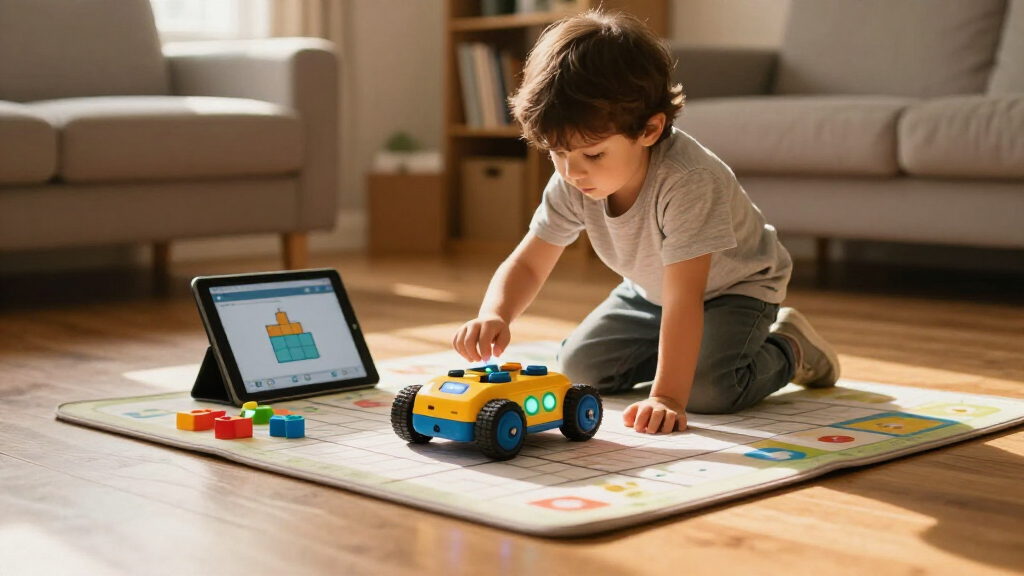

Choosing among educational coding robots for kids comes down to one big question: how much screen time and building complexity are you willing to trade for deeper coding concepts? My top pick, the Wonder Workshop Dash Robot, earns the best-overall spot because it balances friendly hardware, app-based block coding, and years of room to grow without needing a build first. If you want a screen-free entry point for ages 4–7, the Learning Resources Botley the Coding Robot teaches sequencing and logic through a remote programmer alone, while the Makeblock mBot suits older kids ready to tinker with real hardware and text-based coding later on. The main tradeoff in this category is between ready-to-play robots that start teaching immediately and build-it-yourself kits that add construction time but deepen STEM engagement. Read on for the full breakdown of all 15 options, ranked and matched to ages, budgets, and learning goals.

Prime made for students and young adults
- Fast, free delivery for dorm and study essentials
- Prime Video and Amazon Music included
- Member-only deals
Key Takeaways
- Ready-to-play robots (Dash, Botley, VinciBot) consistently deliver faster learning payoff than build-first kits, which can stall younger kids with assembly frustration before any coding happens.
- Screen-free coding is only truly screen-free on the Botley line and Ozobot color-coding modes; most other robots marketed to young kids still require a tablet or phone within the first session.
- The biggest value split in this lineup is between single-robot purchases and multi-robot kits like the Ozobot Evo Classroom Kit — parents buying one unit should avoid paying for classroom-oriented bundles.
- Building kits (Science Can, HPROMOT, Ansnibe, 12-in-1) vary widely in piece quality and rebuild practicality; the kits with fewer, larger configurations get reused far more than the 12-in-1 style sets.
- Add-on modules like the Makeblock AI Camera 2.0 are only worthwhile if you already own a compatible mBot2 — they rank lower as standalone gifts because they depend on existing hardware.
| Wonder Workshop Dash Robot – Coding Robots for Kids 6 and Older |  | Best Overall | Recommended Age: 6–11 years | Apps: 5 apps (Blockly, Wonder, Path and more) for iOS, Android, Fire OS | Assembly Required: No | VIEW LATEST PRICE | See Our Full Breakdown |
| Educational Insights PYXEL A Coder’s Best Friend Coding Robot |  | Best for Learning Real Code | Recommended Age: 8 years and up | Coding Languages: Blockly, Python | Connectivity: Password-protected Wi-Fi (no internet or app required) | VIEW LATEST PRICE | See Our Full Breakdown |
| Thames & Kosmos My Robotic Pet: Coding Chameleon STEM Building Kit |  | Best Screen-Free Pick | Model Length: 15 inches | Recommended Age: 8+ with adult help; 12+ independently | Sensors: Color sensor, infrared sensor | VIEW LATEST PRICE | See Our Full Breakdown |
| Educational Insights Artie 3000 The Coding & Drawing Robot |  | Best for Creative Kids | Recommended Age: 7–12 years | Coding Languages: Blockly, Snap!, JavaScript, Python | Connectivity: Password-protected built-in Wi-Fi (no internet required) | VIEW LATEST PRICE | See Our Full Breakdown |
| Makeblock AI Camera 2.0 for mBot2 – All-in-One AI Vision Module for Education |  | Best for Advanced STEM Learning | Compatibility: mBot2, CyberPi, mBuild modules | Built-in AI Models: 9 (face, color, gesture, tag, object, path, posture, text, voice recognition) | Included Curriculum: 21 standards-aligned projects | VIEW LATEST PRICE | See Our Full Breakdown |
| Science Can Robot Building Toys for Kids, 80+ STEM Robot Building Sets |  | Best Build Variety | Brand: Science Can | Pieces: 384 | Builds: 80+ robots, vehicles, and machines | VIEW LATEST PRICE | See Our Full Breakdown |
| MatataStudio VinciBot Coding Robot for Kids |  | Best for Growing Into Python | Brand: MatataStudio | Recommended Age: 8 years and up | Programming Languages: Scratch and Python | VIEW LATEST PRICE | See Our Full Breakdown |
| Ozobot Evo Classroom Kit with 18 Coding Robots |  | Best for Classrooms and Groups | Brand: Ozobot | Robots Included: 18 | Age Range: K-12; recommended 5 years and up | VIEW LATEST PRICE | See Our Full Breakdown |
| 12-in-1 STEM Robot Building Set with Remote Control & App Control for Kids Age 8-14 |  | Best Budget-Friendly Build Kit | Recommended Age: 8-14 years | Robot Variations: 12+ | Control Methods: Remote control and app control | VIEW LATEST PRICE | See Our Full Breakdown |
| HPROMOT 5-in-1 STEM Robot Building Kit, 603 Pieces, for Ages 6–16 |  | Best for Family Build Sessions | Pieces: 603 | Build Options: 5 models | Recommended Age: 6-16 years | VIEW LATEST PRICE | See Our Full Breakdown |
| Learning Resources Botley 2.0 The Coding Robot Activity Set |  | Best Screen-Free Pick | Pieces: 78 | Includes: Coding robot, remote programmer, 40 coding cards, 6 double-sided boards, stackable obstacles | Features: 45° turns, object sensing, lights, sounds, music, 16 secret code combinations | VIEW LATEST PRICE | See Our Full Breakdown |
| Learning Resources Botley the Coding Robot |  | Best Value Screen-Free Starter | Recommended Age: 5+ years | Programming Capacity: Up to 80 steps | Features: Loops, if/then logic, screen-free coding | VIEW LATEST PRICE | See Our Full Breakdown |
| Ansnibe 5-in-1 STEM Robot Building Kit, 323 Pieces |  | Best for Builders Who Like Variety | Pieces: 323 | Buildable Models: 5 (robot, tank, bulldozer, forklift, excavator) | Control Modes: Remote control, path mode, gravity sensor, programming control | VIEW LATEST PRICE | See Our Full Breakdown |
| Ozobot Ozo at Home: Interactive STEM Coding Robot for Kids Ages 5+ |  | Best Structured Curriculum | Recommended Age: 5+ years | Activities Included: 27 guided activities | Learning Formats: Mystical Forest Mat, blank magnetic board, color codes, Ozobot Blockly, engineering challenges | VIEW LATEST PRICE | See Our Full Breakdown |
| Makeblock mBot Programmable STEM Robot Kit for Kids Ages 8–12 |  | Best Bridge to Real Coding | Recommended Age: 8 years and up | Programming Platforms: Scratch and Arduino | Functions: Remote control, line-following, obstacle avoidance | VIEW LATEST PRICE | See Our Full Breakdown |
| educational coding robots for kid | Recommended Age |
|---|---|
| Wonder Workshop Dash Robot | 6–11 years |
| Educational Insights PYXEL A C | 8 years and up |
| Thames & Kosmos My Robotic Pet | 8+ with adult help; 12+ independently |
| Educational Insights Artie 300 | 7–12 years |
| Makeblock AI Camera 2.0 for mB | — |
| Science Can Robot Building Toy | 8 years and up |
| MatataStudio VinciBot Coding R | 8 years and up |
| Ozobot Evo Classroom Kit with | — |
| 12-in-1 STEM Robot Building Se | 8-14 years |
| HPROMOT 5-in-1 STEM Robot Buil | 6-16 years |
| Learning Resources Botley 2.0 | — |
| Learning Resources Botley the | 5+ years |
| Ansnibe 5-in-1 STEM Robot Buil | 6–14 years |
| Ozobot Ozo at Home: Interactiv | 5+ years |
| Makeblock mBot Programmable ST | 8 years and up |
More Details on Our Top Picks
Wonder Workshop Dash Robot – Coding Robots for Kids 6 and Older
Dash earns the top spot because it removes every friction point that stops young kids from actually coding. There is no assembly, unlike the Thames & Kosmos chameleon kit, so a six-year-old can go from box to playing in minutes. The real differentiator is the five-app progression: kids start with picture-based commands in Path and graduate to loops and variables in Blockly, which means the robot grows with them for years instead of being outgrown in a season. Voice activation and obstacle response make the play feel social rather than academic. The tradeoff is that Dash is tablet-dependent — families without a compatible iOS, Android, or Fire device are stuck — and the coding depth tops out around age 11, so a motivated 12-year-old will bump its ceiling faster than they would with PYXEL’s Python.
Pros:- No assembly required — works straight out of the box
- Five apps create a coding curriculum that scales from beginner drag-and-drop to loops and variables
- Responds to voice commands and navigates obstacles, keeping play interactive
- Up to 5 hours of battery life per charge for extended sessions
Cons:- Requires a compatible tablet or phone for all coding activities
- Learning ceiling around age 11; older kids will outgrow the Blockly curriculum
- No camera, limiting more advanced computer-vision projects
Best for: Families with kids aged 6–11 who want a zero-setup robot that teaches genuine coding concepts through years of app progression
Not ideal for: Households without a compatible tablet or smartphone, since every coding activity requires one of the five apps
- Recommended Age:6–11 years
- Apps:5 apps (Blockly, Wonder, Path and more) for iOS, Android, Fire OS
- Assembly Required:No
- Voice Control:Yes
- Battery Life:Up to 5 hours active play
- Power Source:Rechargeable lithium-ion battery (included)
- Camera:No
- Item Weight:0.7 kg
Our verdict“The safest all-around pick for elementary-age kids who want to learn real coding concepts through play without any building hassle.”
Educational Insights PYXEL A Coder’s Best Friend Coding Robot
Most kids’ robots stop at block-based coding; PYXEL goes one step further by teaching actual Python alongside Blockly, with built-in tutorials that let kids move between the two. That makes it a stronger bridge to text-based programming than Dash, whose curriculum stays graphical, or Artie 3000, which offers Python but wraps it in a drawing-focused format. The pet framing — tricks, lights, sounds — gives kids an emotional reason to keep coding, and the password-protected direct Wi-Fi means no internet account and no app store download. The catch: PYXEL is completely dependent on a Wi-Fi-enabled tablet or computer, and it doesn’t offer the building or engineering component that kits like the Thames & Kosmos chameleon provide, so it teaches code but not construction.
Pros:- Teaches both Blockly and Python with a clear progression path
- Built-in tutorials enable self-directed learning without a parent teaching
- Secure password-protected Wi-Fi with no internet or app download needed
- Pet-like personality with lights, sounds, and tricks keeps kids motivated
Cons:- Useless without a Wi-Fi-enabled tablet or computer
- No building or engineering component — coding only
- Narrower age appeal than Dash; not ideal for kids under 8
Best for: Kids 8 and up who have mastered block coding and are ready to write their first real Python
Not ideal for: Families trying to reduce screen time — PYXEL cannot do anything without a connected device
- Recommended Age:8 years and up
- Coding Languages:Blockly, Python
- Connectivity:Password-protected Wi-Fi (no internet or app required)
- Tutorials:Built-in, self-directed
- Battery:Built-in rechargeable
- Includes:USB-C cord, Code Activator, guide
Our verdict“The right choice when your child has outgrown drag-and-drop blocks and needs a friendly on-ramp to genuine Python.”
Thames & Kosmos My Robotic Pet: Coding Chameleon STEM Building Kit
In a lineup dominated by app-dependent robots, this coding chameleon is the rare option that teaches programming logic with zero screens. Kids build the 15-inch robot themselves — an engineering lesson Dash and PYXEL simply don’t offer — then program it using physical colored action cards across three modes. The 48-page manual doubles as a robotics and biomimicry textbook, giving it more educational depth per dollar than simpler kits like the Science Can building sets. The honest tradeoff is accessibility: assembly is genuinely challenging, so kids aged 8–11 will need an adult alongside them, whereas Botley 2.0 delivers screen-free coding with no building frustration at all. If your goal is a shared parent-child build project rather than independent play, that tradeoff becomes the point.
Pros:- Completely screen-free coding using physical action cards
- Building the robot teaches mechanical engineering alongside coding
- Three play modes (Coding, Wild, Pet) sustain long-term engagement
- 48-page manual teaches robotics and biomimicry concepts in depth
Cons:- Younger children need adult assistance for assembly
- Building phase may frustrate kids who want instant play like Dash offers
- Card-based coding has a lower ceiling than Python-capable robots
Best for: Screen-free households and families who want a collaborative build-and-code project for kids 8+ with adult involvement
Not ideal for: Parents seeking independent play for younger kids — assembly is too difficult for most 8–11 year-olds alone
- Model Length:15 inches
- Recommended Age:8+ with adult help; 12+ independently
- Sensors:Color sensor, infrared sensor
- Components:RGB LEDs, articulated eyes, torso and leg joints
- Play Modes:Coding, Wild, Pet
- Manual:48 pages
- Screen Required:No
Our verdict“The standout choice for families avoiding screens who still want a deep, structured STEM experience — provided a parent helps with the build.”
Educational Insights Artie 3000 The Coding & Drawing Robot
Artie 3000 takes a different angle on motivation: instead of tricks or obstacles, it turns code into physical drawings on paper. For kids who love art but resist “educational” toys, that tangible output is a powerful hook — every program ends with something to tape to the fridge. Its four-language span (Blockly, Snap!, JavaScript, Python) is broader than PYXEL’s two, though the drawing format means the coding stays geometry-focused rather than exploring the wider logic PYXEL’s pet tricks allow. Setup is refreshingly independent: the robot broadcasts its own password-protected Wi-Fi with no app or internet. Budget for batteries, though — four AAs are not included, and heavy drawing sessions drain them, which is an annoyance neither rechargeable Dash nor PYXEL shares.
Pros:- Four coding languages from Blockly through Python and JavaScript
- Creative drawing output makes coding results tangible and rewarding
- Direct Wi-Fi connection with no internet or app download needed
- Includes markers, activity cards, and quick-start guide for immediate play
Cons:- Requires 4 AA batteries that are not included
- Coding exercises are limited to geometry and shapes
- Marker-based play means ongoing paper and marker consumption
Best for: Artistically inclined kids aged 7–12 who respond better to creative output than to games or challenges
Not ideal for: Kids who want a responsive, interactive robot companion — Artie drives around paper rather than playing with your child
- Recommended Age:7–12 years
- Coding Languages:Blockly, Snap!, JavaScript, Python
- Connectivity:Password-protected built-in Wi-Fi (no internet required)
- Batteries:4 AA required (not included)
- Included Components:Robot, 4 washable markers, quick start guide, activity cards
- Model Number:1125
Our verdict“A smart pick for creative kids who need a visible reward for their code — just add batteries to your cart.”
Makeblock AI Camera 2.0 for mBot2 – All-in-One AI Vision Module for Education
This is the ceiling-raiser of the roundup. The Makeblock AI Camera 2.0 isn’t a standalone robot — it’s a vision module that gives an existing mBot2 nine pre-built AI models covering face, gesture, color, object, and even voice recognition, plus the ability to train custom models. No other product here touches machine learning at all; Dash tops out at Blockly, and even PYXEL’s Python doesn’t reach computer vision. The 21 standards-aligned lessons make this a genuine curriculum tool rather than a toy, ideal for classrooms or serious home learners. The obvious limitation: it is useless without compatible Makeblock hardware. If you don’t already own an mBot2 or CyberPi, the entry cost doubles — and a curious 8-year-old will find it far less approachable than a ready-to-play robot.
Pros:- Nine ready-to-use AI recognition models with plug-and-play setup in under a minute
- Students can progress from using AI models to training their own
- 21 standards-aligned project lessons support structured classroom teaching
- Integrates seamlessly with the broader Makeblock ecosystem
Cons:- Requires a separate mBot2, CyberPi, or mBuild purchase to function
- Far too advanced for young beginners — not a first coding robot
- Concepts like model training demand adult guidance or a curriculum setting
Best for: Classrooms and advanced students aged roughly 10+ who already own mBot2 or CyberPi and want to explore real AI and machine learning
Not ideal for: Anyone without existing Makeblock hardware — it cannot function as a standalone product
- Compatibility:mBot2, CyberPi, mBuild modules
- Built-in AI Models:9 (face, color, gesture, tag, object, path, posture, text, voice recognition)
- Included Curriculum:21 standards-aligned projects
- Setup:Plug-and-play, under 1 minute
- Custom Model Training:Supported
- Function:Accessory module — not a standalone robot
Our verdict“A worthwhile upgrade for existing Makeblock owners ready to move from coding into genuine artificial intelligence — everyone else should start elsewhere.”
Science Can Robot Building Toys for Kids, 80+ STEM Robot Building Sets
Where the HPROMOT 5-in-1 kit stops at five models, this set keeps going with 80+ possible builds from a single 384-piece collection, which makes it the strongest pick here for replay value. The graphical, app-based coding teaches programming logic through drag-and-drop rather than typed syntax, so younger builders can focus on concepts instead of debugging typos. Modules like motors, a speaker, and lights mean finished robots actually do things, not just sit on a shelf. Compared with the 12-in-1 STEM Robot Building Set, the instruction quality and gift-ready packaging give it an edge as a present. The tradeoff is real: without a compatible smart device, the coding and control features are off the table, leaving a plain building kit. Ages 8 and up is the honest floor — the piece count will frustrate younger kids.
Pros:- 80+ builds from one 384-piece set delivers exceptional long-term replay value
- Graphical app coding teaches programming logic without typing skills
- Full-color illustrated instructions let kids build independently
- Child-safe ABS materials and premium gift packaging make it a strong present
Cons:- Requires a smart device for all control and coding features
- 384 small pieces will overwhelm builders younger than 8
Best for: Parents of kids 8-12 who want one kit that stays fresh for months instead of being built once and forgotten
Not ideal for: Households without a spare tablet or smartphone, since app control and coding are the core of the experience
- Brand:Science Can
- Pieces:384
- Builds:80+ robots, vehicles, and machines
- Coding:App-based graphical programming
- Modules:2 motors, speaker, light bulb, main control, gear set, head module
- Material:Child-safe ABS
- Recommended Age:8 years and up
Our verdict“This pick makes the most sense for families who want maximum build variety and don’t mind screen-based coding.”
MatataStudio VinciBot Coding Robot for Kids
VinciBot stands out for being the only option in this batch with a genuine growth path from block coding to Python, plus tutorials reaching into AI, IoT, and TinyML. Where the Ozobot Evo leans on screen-free markers for younger classrooms, VinciBot targets kids 8 and up who are ready for a step beyond drag-and-drop. The eight sensors, LED matrix, and 21 instrument sounds give it more interactive depth than a building kit like the 12-in-1 set, and the LEGO and TECHNIC compatibility adds open-ended hardware expansion most ready-built robots can’t match. Four-plus hours of runtime also beats typical kit batteries. The honest drawback: the advanced AI and IoT projects demand adult setup and patience, so families expecting instant out-of-the-box play may find the ceiling higher than the on-ramp.
Pros:- Supports both Scratch-style blocks and Python for a long learning runway
- Eight sensors plus LED matrix and sound make projects genuinely interactive
- Expandable with LEGO bricks, TECHNIC motors, and third-party electronics
- Over 4 hours of battery runtime per charge supports long sessions
Cons:- Advanced AI, IoT, and TinyML tutorials require substantial setup and adult involvement
- Higher complexity than entry-level robots like Botley or Ozobot for beginners
Best for: Kids 8+ who have already outgrown beginner coding toys and need a robot that scales up to real programming
Not ideal for: Families wanting a plug-and-play toy, since the deeper AI and IoT projects need meaningful setup and guidance
- Brand:MatataStudio
- Recommended Age:8 years and up
- Programming Languages:Scratch and Python
- Sensors:8
- Battery:1500 mAh, over 4 hours per charge
- Preset Modes:Line following, precision drawing, IR remote
- Expansion:LEGO bricks, TECHNIC motors, third-party electronic modules
- Extras:LED matrix, RGB lights, 21 instrument sounds
Our verdict“A strong choice for a child serious about coding who will grow into Python over several years.”
Ozobot Evo Classroom Kit with 18 Coding Robots
Nothing else in this lineup is built for group teaching — while the Wonder Workshop Dash and VinciBot serve one child at a time, this kit puts 18 Evo robots in one box with a charging cradle and classroom accessories. The dual approach is what sells it: Color Code Markers let kindergarteners program with paper and pens, no screens needed, while Ozobot Blockly scales the same hardware up through middle and high school. Access to 700+ free lessons means teachers aren’t inventing curriculum from scratch. The obvious tradeoff is cost per robot versus a single $50-style kit, and a home family buying 18 bots is wasting money — the single Ozobot Ozo at Home is the better household choice. The tiny robots also demand some classroom management to avoid loss and damage.
Pros:- 18 robots enable simultaneous hands-on use for full classrooms
- Screen-free marker coding works for kindergarteners while Blockly scales to teens
- Access to more than 700 free lessons saves curriculum planning time
- Includes charging cradle, marker sets, and classroom organization accessories
Cons:- Far more hardware and expense than a single-family household needs
- Small robots are easy to lose or damage in busy group settings
Best for: Teachers, STEM clubs, and homeschool co-ops running coding activities for groups of 10-20 kids
Not ideal for: Individual families, who should buy a single Ozobot instead of paying for 18 units and classroom accessories
- Brand:Ozobot
- Robots Included:18
- Age Range:K-12; recommended 5 years and up
- Coding Modes:Color Code Markers and Ozobot Blockly
- Lessons:700+ free online lessons
- Charging:Lithium-ion with included charging cradle
- Included Components:18 robots, 18 marker sets, activities, stickers, charging cradle and power cable
Our verdict“If you’re outfitting a classroom or club, this is the clear group option; everyone else should buy a single bot.”
12-in-1 STEM Robot Building Set with Remote Control & App Control for Kids Age 8-14
This kit earns its spot as the affordable entry point into motorized building sets. With 12+ robot variations, it offers far more rebuild value than the HPROMOT 5-in-1, though it can’t match the 80+ builds of the pricier Science Can set. The dual remote and app control is a genuine plus at this price — the physical remote works without a smart device, unlike the Science Can kit, and programmable actions introduce basic coding logic. It’s also pitched toward parent-child building, and that framing is accurate: kids at the younger end of the 8-14 range will need adult help with assembly, which is either quality bonding time or a chore depending on your household. Physics and mechanics learning happens through building rather than software, so treat the coding side as a bonus, not the main event.
Pros:- 12+ build variations provide strong replay value for the price
- Physical remote works without a smart device, unlike app-only competitors
- Teaches physics, electronics, and mechanics through hands-on assembly
- Designed for parent-child collaboration
Cons:- Younger kids will struggle with assembly without adult help
- App control and programming features still require a compatible smart device
Best for: Budget-conscious parents of kids 8-14 who want a first motorized building kit with flexible control options
Not ideal for: Independent younger builders — assembly complexity means kids at the low end of the range need adult assistance
- Recommended Age:8-14 years
- Robot Variations:12+
- Control Methods:Remote control and app control
- Programming:Programmable actions via app
- Educational Focus:STEM: physics, electronics, mechanics
- Assembly:Building-block construction, adult help advised for younger kids
Our verdict“A sensible first building-and-coding kit where the physical remote saves the day when screens aren’t an option.”
HPROMOT 5-in-1 STEM Robot Building Kit, 603 Pieces, for Ages 6–16
HPROMOT takes a different angle than the build-heavy Science Can set: fewer models, but 603 pieces per build, making each robot a substantial multi-session project that suits family collaboration across a wide 6-16 age span. The standout feature is the four control modes — remote, path, gravity sensor, and programming — which gives it more varied play styles than the 12-in-1 set’s two modes. Gravity mode, where tilting a phone steers the robot, is a genuine crowd-pleaser for younger siblings who aren’t ready for coding. The step-by-step manual keeps assembly manageable, though younger children in that 6-16 range will still need an adult nearby. Note the smooth-surfaces requirement: these robots won’t perform on carpet, which limits where play actually happens. Compared with VinciBot, there’s no Python path — this is mechanics-first learning, not software education.
Pros:- 603 pieces make each of the five builds a satisfying, substantial project
- Four control modes including gravity sensor and path control add play variety
- Wide 6-16 age range supports siblings building together
- Rechargeable power avoids constant battery replacement
Cons:- Only five build options, far fewer rebuild variety than the Science Can or 12-in-1 sets
- Limited to smooth surfaces, ruling out carpet play
- Younger kids need adult help during assembly
Best for: Families with mixed-age kids who want a big collaborative build project with varied play modes afterward
Not ideal for: Households with mostly carpeted floors, since the robots are designed for smooth surfaces
- Pieces:603
- Build Options:5 models
- Recommended Age:6-16 years
- Control Modes:Remote control, path mode, gravity sensor, programming control
- Control Methods:Remote and app
- Power:Rechargeable
- Manual:Step-by-step assembly instructions included
Our verdict“Choose this for deep, cooperative building sessions rather than endless rebuild variety or serious coding progression.”
Learning Resources Botley 2.0 The Coding Robot Activity Set
Among all the screen-free options in this roundup, Botley 2.0 stands out for sheer play value — the 78-piece activity set turns coding into a physical, maze-building experience rather than a lecture. Kids program sequences with a chunky remote programmer and coding cards, then watch Botley navigate routes with lights, sounds, and object detection. Compared with the original Botley the Coding Robot, this version adds 45° turns, nighttime light shows, and 16 secret code tricks, which keeps the novelty alive longer. The tradeoff is real, though: there’s no digital interface at all, so kids who eventually want block-based or text coding will outgrow it — unlike the Makeblock mBot, which opens the door to Scratch and Arduino. Adults should also expect to help younger children set up boards and mazes.
Pros:- Fully screen-free with no app or device required
- Large 78-piece set encourages open-ended maze and course design
- Progressive difficulty from simple routes to multi-step paths with 45° turns
- Multisensory feedback — lights, sounds, music, and object sensing
Cons:- Remote programming only, with no advanced interface for older kids
- Younger children may need adult help setting up boards and challenges
Best for: Parents of ages 5–8 who want a rich, screen-free introduction to sequencing and logic — especially families limiting tablet time
Not ideal for: Kids 9 and up or those already comfortable with apps and block coding, since the remote-only interface caps how far skills can grow
- Pieces:78
- Includes:Coding robot, remote programmer, 40 coding cards, 6 double-sided boards, stackable obstacles
- Features:45° turns, object sensing, lights, sounds, music, 16 secret code combinations
- App/Device Required:No
- Coding Method:Remote programmer with physical coding cards
- Recommended Use:Home or classroom
Our verdict“This pick makes the most sense for families who want the most complete screen-free coding playground in one box, with the understanding that kids will graduate past it within a couple of years.”
Learning Resources Botley the Coding Robot
The original Botley remains the smartest budget-friendly entry point for screen-free coding. It covers genuine programming concepts — sequencing up to 80 steps, loops, and if/then logic — inside a kit that works right out of the box with no device pairing or setup friction. Compared with its successor, Botley 2.0, this version drops the 45° turns, light shows, and larger activity set, but it keeps the core logic teaching intact, which is what actually builds coding skills. It also sidesteps the screen dependence of the Ozobot Ozo at Home kit, which eventually pushes kids toward Blockly on a tablet. The honest limitation: the ceiling is lower, and older or advanced kids may find it repetitive once they’ve mastered loops. For a first coding robot in the 5–8 range, the tradeoff is easy to accept.
Pros:- Teaches real concepts: 80-step sequences, loops, and if/then logic
- Complete all-in-one kit with cards, tiles, and obstacles included
- Fully screen-free with no device needed
- Long usable age range for beginners, roughly 5 through early elementary
Cons:- Too basic for older or accelerated learners
- Fewer features and pieces than the Botley 2.0 activity set
Best for: Budget-conscious families and classrooms buying for ages 5–8 who want core coding logic without screens or a big price jump
Not ideal for: Kids 10 and up or those who already understand loops and conditionals — they’ll exhaust the challenges quickly
- Recommended Age:5+ years
- Programming Capacity:Up to 80 steps
- Features:Loops, if/then logic, screen-free coding
- Includes:Botley robot, remote programmer, detachable arms, 40 coding cards, tiles, obstacles
- Coding Method:Remote programmer, screen-free
- Use Settings:Home, classroom, homeschool
Our verdict“This model is better suited to buyers who want the essential Botley experience — real logic learning, zero screens — at the lowest commitment, and who don’t need the expanded 2.0 feature set.”
Ansnibe 5-in-1 STEM Robot Building Kit, 323 Pieces
Where most robots in this roundup come pre-assembled, the Ansnibe kit puts the building itself front and center — five different models (robot, tank, bulldozer, forklift, excavator) from 323 pieces. That construction phase is where the STEM learning happens, teaching spatial reasoning and mechanical assembly that a ready-to-drive option like Botley never touches. The catch is structural: only the tracked model is motorized with app control, path mode, gravity-sensor steering, and basic programming, while the other four models are poseable but static. Compared with the Makeblock mBot, the coding side here is lighter — this is a building kit with control modes, not a programming curriculum. Younger builders in the 6–8 range will likely need a parent nearby for the small precision parts, and patience is genuinely required during assembly.
Pros:- Five distinct buildable models from a single 323-piece set
- Four control modes on the motorized tracked model, including path and gravity modes
- Clear step-by-step instruction manual supports independent building
- USB-rechargeable battery means no constant battery replacement
Cons:- Only the tracked model is motorized — four of five builds are static
- Small precision parts make assembly slow and frustrating for younger kids
- Programming mode is basic compared with dedicated coding robots
Best for: Hands-on kids ages 8–12 who love LEGO-style building and want variety — five models — more than a deep coding curriculum
Not ideal for: Families seeking a serious programming education tool — the coding features are secondary to the building experience, and only one model is motorized
- Pieces:323
- Buildable Models:5 (robot, tank, bulldozer, forklift, excavator)
- Control Modes:Remote control, path mode, gravity sensor, programming control
- Control:App and physical remote (tracked model only)
- Recommended Age:6–14 years
- Battery:USB-rechargeable battery included; 1 AAA battery required
- Material:Plastic
Our verdict“This pick makes the most sense for kids who’d rather spend an afternoon building than programming, and who see variety as the reward.”
Ozobot Ozo at Home: Interactive STEM Coding Robot for Kids Ages 5+
Most coding robots hand kids a toy and wish them luck; Ozo at Home hands them a lesson plan. The 27 guided activities progress deliberately from screen-free color code markers and magnetic tiles to block-based Blockly programming, making it the most curriculum-like option here besides a classroom kit like the Ozobot Evo Classroom Kit. Activities run 10–30 minutes, which fits neatly into homeschool blocks or weekend mornings. Compared with Botley 2.0, it starts screen-free but doesn’t stay that way — and that’s the point: kids get a genuine on-ramp to digital coding. Two honest drawbacks: Blockly requires a computer or tablet that isn’t included, and the sequential design means kids who want to jump straight to the fun stuff may chafe at the ordered progression.
Pros:- 27 guided activities with clear beginner-to-advanced progression
- Screen-free entry with markers and tiles before moving to Blockly
- Bite-sized 10–30 minute lessons fit homeschool and weekend schedules
- Includes protective case, charging cable, and two-sided magnetic board
Cons:- Blockly stage requires a computer or tablet (not included)
- Activities must be completed in order, which frustrates kids who want to skip ahead
Best for: Homeschool families and parents who want a structured, progressive coding curriculum with short lessons — no prior experience needed for adult or child
Not ideal for: Kids who dislike following a set sequence, or families without a spare computer or tablet for the Blockly stage
- Recommended Age:5+ years
- Activities Included:27 guided activities
- Learning Formats:Mystical Forest Mat, blank magnetic board, color codes, Ozobot Blockly, engineering challenges
- Programming Methods:Color code markers (screen-free), Ozobot Blockly
- Includes:Charging cable, protective case, color code markers, two-sided magnetic board
- Activity Duration:10–30 minutes per activity
- Homeschool Approved:Yes
Our verdict“This option stands out for families who want a guided, step-by-step coding education rather than open-ended play — provided a device is available for the later stages.”
Makeblock mBot Programmable STEM Robot Kit for Kids Ages 8–12
The mBot is the true programming pick of this batch — the only one that connects directly to Scratch and Arduino, the same platforms used in schools and maker spaces. Kids assemble it in about 15 minutes, then move quickly from remote control and line-following play into genuine block-based and eventually text-based coding. Compared with Ozobot Ozo at Home, which offers a structured curriculum, the mBot is more of an open platform — better for tinkering, worse for guided lessons. It also beats the Ansnibe 5-in-1 kit on expandability: compatibility with 100+ Makeblock modules, 500+ parts, and even LEGO means it grows for years. The frustrations are small but real: batteries aren’t included (4 AA plus a CR2025 for the remote), and younger kids will need adult help moving from assembly into actual programming projects.
Pros:- Supports Scratch and Arduino — a genuine path to real programming
- Quick 15-minute assembly with clear instructions
- Line-following, obstacle avoidance, and remote control built in
- Highly expandable with 100+ Makeblock modules and LEGO compatibility
Cons:- Required batteries (4 AA, CR2025) are not included
- Real coding benefits require adult guidance and computer time younger kids may not manage alone
Best for: Kids 8–12 ready to graduate from toy robots to real Scratch and Arduino programming, especially tinkerers who’ll use the add-on ecosystem
Not ideal for: Ages 5–7 or families wanting screen-free play — the learning payoff depends on time spent coding on a computer
- Recommended Age:8 years and up
- Programming Platforms:Scratch and Arduino
- Functions:Remote control, line-following, obstacle avoidance
- Assembly Time:About 15 minutes
- Power Requirements:4 AA batteries (robot); CR2025 battery (remote) — not included
- Compatibility:Makeblock add-on packs, 100+ electronic modules, 500+ parts, LEGO parts
Our verdict“This model makes the most sense for elementary and middle-schoolers ready for authentic coding tools and a platform they won’t outgrow in a year.”

How We Picked
I evaluated each robot through the lens a parent or teacher actually faces: age-appropriateness of the coding interface, how quickly a child can go from unboxing to a successful first program, and whether the product grows with the child or gets mastered in a week. Ready-to-play robots had to demonstrate a genuine progression path — from picture-based or color coding into block coding, and ideally text-based coding for the oldest age ranges. Building kits were judged on build clarity, piece durability, and whether the coding element was substantive or just a remote-control gimmick wearing a STEM label.
Ranking also reflected long-term value and ecosystem support: products with free apps, ongoing curriculum content, and replaceable parts ranked above closed ecosystems that charge for extras. Screen-free options got credit for young learners, while classroom kits were assessed on per-robot cost logic and multi-student usability rather than home-use appeal. Products that depend on companion hardware, like the Makeblock AI Camera 2.0, were ranked lower as purchases even when the underlying technology is strong, because they fail the “works out of the box” test most buyers expect.
Factors to Consider When Choosing Educational Coding Robots For Kids
Before picking a specific robot, it helps to understand the category’s structural tradeoffs — many buyer regrets in this space come from mismatched expectations, not bad products.Match the Coding Interface to Your Child’s Reading Level
The single most common mistake is buying a block-coding app robot for a child who cannot yet read fluently, then wondering why they lose interest. Kids under six generally need icon-based, color-based, or physical-button coding like Botley’s remote programmer or Ozobot’s color markers. Ages six to nine are the sweet spot for drag-and-drop block coding, where icons carry most of the meaning and reading is supportive rather than required. Above nine, look for platforms that offer a bridge to text coding, because kids who outgrow block interfaces often abandon the robot entirely if there’s no next step. A robot slightly below your child’s level gets played with; one slightly above gets shelved.
Decide How Much Building You Actually Want
Build-it-yourself kits and pre-assembled robots serve different purposes, and conflating them causes most returns in this category. A building kit front-loads engineering learning and delivers a sense of ownership, but it also means the coding lesson may not start for an hour or more — and some kids never finish the build. Pre-assembled robots flip that tradeoff, teaching logic immediately but sacrificing the mechanical learning entirely. If your child already loves LEGO-style construction, a kit multiplies engagement; if they’re primarily curious about programming, a ready-to-play robot removes the biggest barrier to the first success.
Understand Screen Requirements Before You Buy
Many robots marketed as screen-free alternatives still need an app for their more advanced features, so read the requirements carefully. A tablet-only ecosystem becomes a problem in households sharing one device among siblings, and some apps are tablet-only and will not run on a parent’s phone. Bluetooth range, app update frequency, and OS compatibility also matter more than buyers expect — a robot orphaned by an abandoned app is a plastic toy, not a coding teacher. If minimizing screens is a household priority, the true screen-free options are narrow, and you should verify that claim rather than trust the packaging.
Beware of Classroom Bundles and Ecosystem Lock-In
Multi-robot classroom kits occasionally appear at tempting per-unit pricing, but they’re designed for teachers running stations, not families. Beyond the bundle question, consider whether the manufacturer’s ecosystem charges for curriculum content, expansion packs, or subscription access — the sticker price of the robot is often only the entry fee. Ecosystems with free, regularly updated content extend a robot’s useful life by years. Conversely, a robot locked to one proprietary app with no update history is a risky purchase regardless of how good the hardware feels on day one.
Factor In Durability, Batteries, and Expansion
Kids drop robots, drive them off tables, and leave them running overnight. Rechargeable robots with sturdy bumpers survive elementary-school treatment far better than battery-powered units with exposed wheels, and replaceable parts are worth more than any feature list. Expansion capability is the other longevity lever: robots that accept add-on sensors, LEGO-compatible attachments, or secondary modules stay interesting as your child’s skills advance. A cheap robot that dies in three months costs more than a durable one that lasts three years, so treat build quality as a value factor, not a luxury.
Know When to Pay More — and When Not To
Premium pricing is justified when it buys a genuine progression path: multiple coding levels, robust software, and hardware that supports years of use. It is not justified when it buys novelty features — sounds, lights, and personality animations that charm for a week but teach nothing new. For a first coding experience, an affordable screen-free robot often outperforms an expensive app robot because the child masters fundamentals instead of passively watching a show. Save the larger investment for age eight and up, when a child can articulate what they want to build and will actually use the advanced features you’re paying for.
Frequently Asked Questions
What age should a child start with a coding robot?
Most children are ready around age five or six, when they can follow two- and three-step instructions reliably. At that stage, the goal isn’t coding syntax — it’s sequencing, cause and effect, and debugging thinking, all of which screen-free robots like Botley teach without reading requirements. Starting earlier than five usually means the parent ends up doing the programming while the child watches, which defeats the purpose. If your child is seven or older and already comfortable with tablets, you can skip the screen-free tier entirely and start with a block-coding robot like Dash, since the fundamentals transfer directly.
Do these robots actually teach real coding, or just toy logic?
It depends entirely on the software layer, not the robot itself. Block-coding platforms like Blockly and Scratch-based systems teach genuine programming structures — loops, conditionals, variables, and events — in a visual format, and that knowledge transfers to text languages like Python later. Robots such as VinciBot and the mBot line explicitly support Python, making them legitimate bridges into real programming. Toy-level robots that only respond to button presses teach sequencing logic but stop there, which is perfectly appropriate for a five-year-old and insufficient for a ten-year-old. Match the ceiling of the software to your child’s trajectory rather than judging by the hardware’s appearance.
Is a building kit or a pre-assembled robot better for learning?
They teach different halves of the same discipline. A building kit teaches mechanical engineering, spatial reasoning, and how systems fit together — but coding often becomes secondary, especially when a build takes a full afternoon. A pre-assembled robot maximizes time spent on programming logic and iteration. The honest answer is that a child serious about robotics eventually benefits from both, and many families start with a ready-to-play robot at six or seven, then add a build kit around nine or ten when fine motor skills and patience can support long assembly sessions. If forced to pick one first, choose based on which activity your child already gravitates toward.
Do I need a tablet or smartphone for these robots to work?
Most app-based robots in this lineup require a compatible device, and compatibility details matter more than buyers assume — some apps run only on tablets, not phones, and older tablets may not support current app versions. The exceptions are the Botley line and Ozobot’s color-coding mode, which work with no screen at all, making them the safest picks for screen-limited households. Before buying, check the manufacturer’s current device requirements rather than relying on the box, because app updates can drop support for older hardware. Also consider device contention: if siblings share one tablet, an app-dependent robot becomes a scheduling problem in a way a screen-free robot never will.
Are classroom kits like the Ozobot Evo 18-pack ever worth it for families?
Almost never, unless you’re homeschooling a co-op or running a small group. Classroom kits price in charging stations, lesson materials, and bulk packaging that a family with one or two children won’t use, and the per-robot savings rarely offset paying for seventeen extra units. A single Ozobot paired with its free activity content delivers nearly the same learning experience for one child. The exception is shared learning environments — STEM clubs, tutoring setups, or families with four or more kids in the target age range — where multi-robot setups enable genuinely different activities like races and swarm challenges that solo robots can’t.
Conclusion
After comparing all fifteen, my recommendations map cleanly to buyer type. For best overall, the Wonder Workshop Dash wins on its rare combination of instant playability, multi-year progression, and a polished free app ecosystem. For best value, the Learning Resources Botley 2.0 Activity Set delivers screen-free coding fundamentals, accessories, and durability at a price that makes sense for a first robot. The MatataStudio VinciBot takes the premium slot for families serious about a long runway — its path from block coding to Python justifies the higher cost for kids nine and up. For beginners and the youngest coders, the original Botley or Pyxel offers the gentlest entry with zero reading requirements. For builder-types who learn best with a wrench in hand, the Makeblock mBot blends construction with serious programmability, while the Ozobot Evo Classroom Kit remains the right call only for teachers and group settings. Whatever you choose, buy the robot that matches your child’s age and attention span today — the best coding robot is the one that gets programmed past its first week.
Halloween Picks

Fun Costumes Creepy Twin Boys Halloween Animatronic

Haunted Hill Farm 2-Ft. Zombie Raccoon Halloween Animatronic

HOPOCO Halloween Pumpkin Fog Machine with 12 LED Colors & Remote Control
As an affiliate, we earn on qualifying purchases.